

The majority of your data is tied to your Perplexity account, with the exception of some Comet local data. In this article, we’ll go over how to delete each subset of data.
How to delete local Comet data
Open Comet → Settings → Privacy and security → Delete browsing data.
Select a time range.
Select the data types you want to remove.
Confirm deletion.
This action clears only local data. It does not affect your Perplexity account or synced settings.
Curious what gets stored locally? Find a full overview of local data storage here.
Deleting your Perplexity account completely
IMPORTANT: Please cancel your Perplexity subscription before deleting your account to avoid charges after deletion.
You have two ways to delete your account fully.
Delete Perplexity account yourself
You can initiate data deletion directly from your account settings, without the need to contact support or submit a separate request.
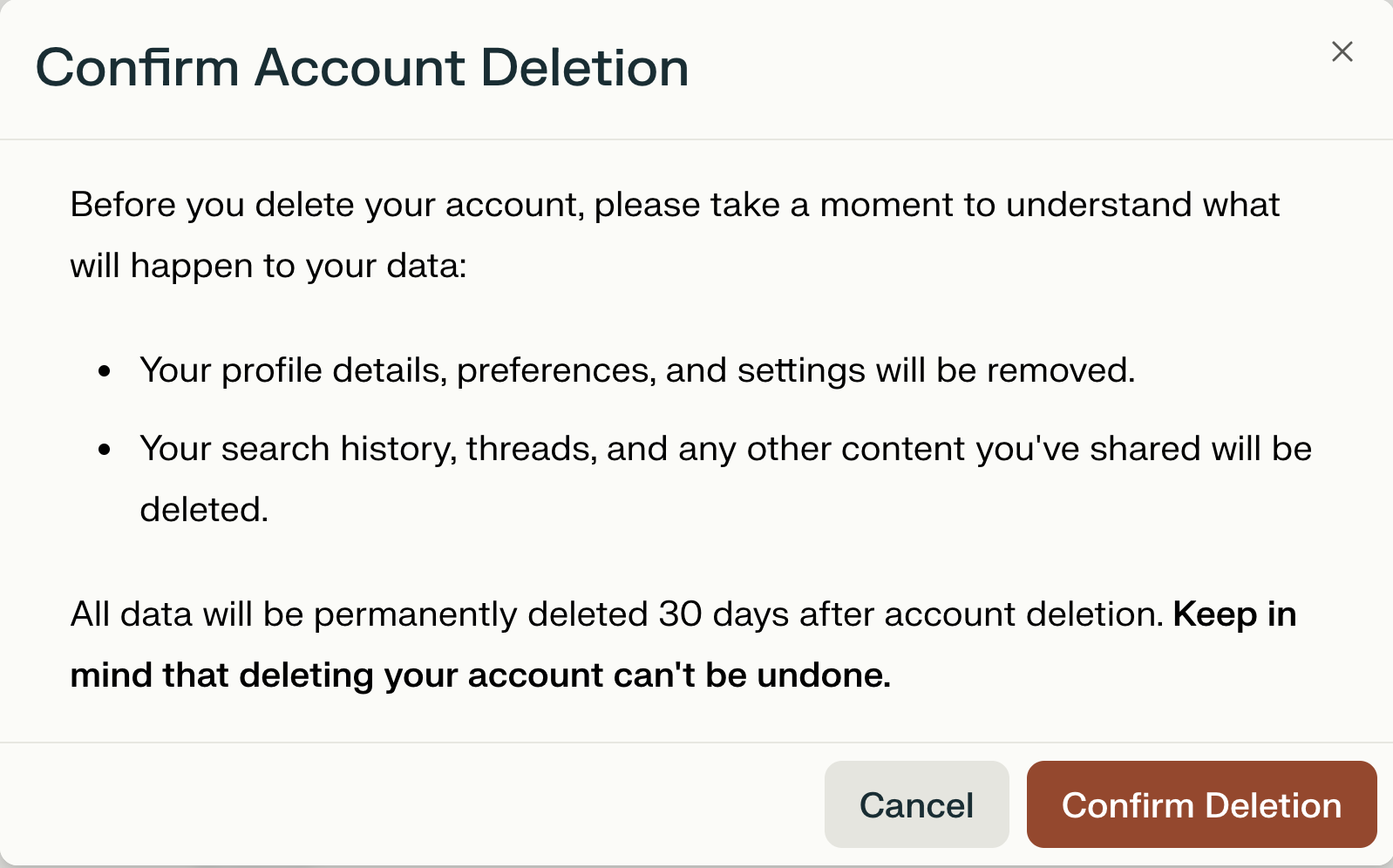
All account and personal data will be permanently deleted after 30 days. During this period, the account remains disabled and scheduled for erasure.
After 30 days the account deletion is irreversible.
If you sign in again using the same email after 30 days, a new, empty account will be created, and your previous data will not be restored.
If you sign into your account using the same email before the 30 days, your request to delete your account will be automatically removed.
Steps on how to delete the account:
Sign into the account and visit: https://perplexity.coolkeypoint.com/account/details or click the bottom left corner and then select my account.
Scroll to the bottom of the page to find Learn more.
A pop up will appear and you will be able to confirm the deletion process.
Request Perplexity account deletion
We recognize you may prefer us to handle deletion or are exercising your data privacy rights, in line with GDPR’s right to erasure and similar regulations.
Go to the Data Privacy Request form
Select “Erase my personal data” when prompted
How can I stop account deletion?
If you want to stop the deletion process, simply sign back into your account within 30 days of initiating it. This will prevent your account from being deleted. After 30 days, the account deletion is irreversible.
Deleting your Perplexity data
Deleting all your sessions
If you want to remove all content you’ve published without deleting your account:
Click the more options icon […] (Three dots) on the top right.
Select “Delete all sessions”
This action cannot be undone
Deleting specific sessions
To remove a single session or specific post you’ve created:
Click the more options icon […] (Three dots) beside the session you want to delete. Alternatively, go into the session in question, click the more options icon, and select “Delete” session
Deleting a specific space
Here’s how to delete Spaces or Pages, or individual sessions
Click the Space or page you wish to delete.
Click the three (…) next to the title and select Delete.
Please note we will ask you to double check if you wish to delete the content. This action can’t be undone.
Deleting a specific file or image
Files are kept for 30 days by default. To delete uploads, delete the entire session. Learn more about file retention here.
For more information on how Perplexity handles your data, visit the Perplexity Help Center.