Brain, faster Computer models, and website publishing

Brain: self-improving memory in Computer
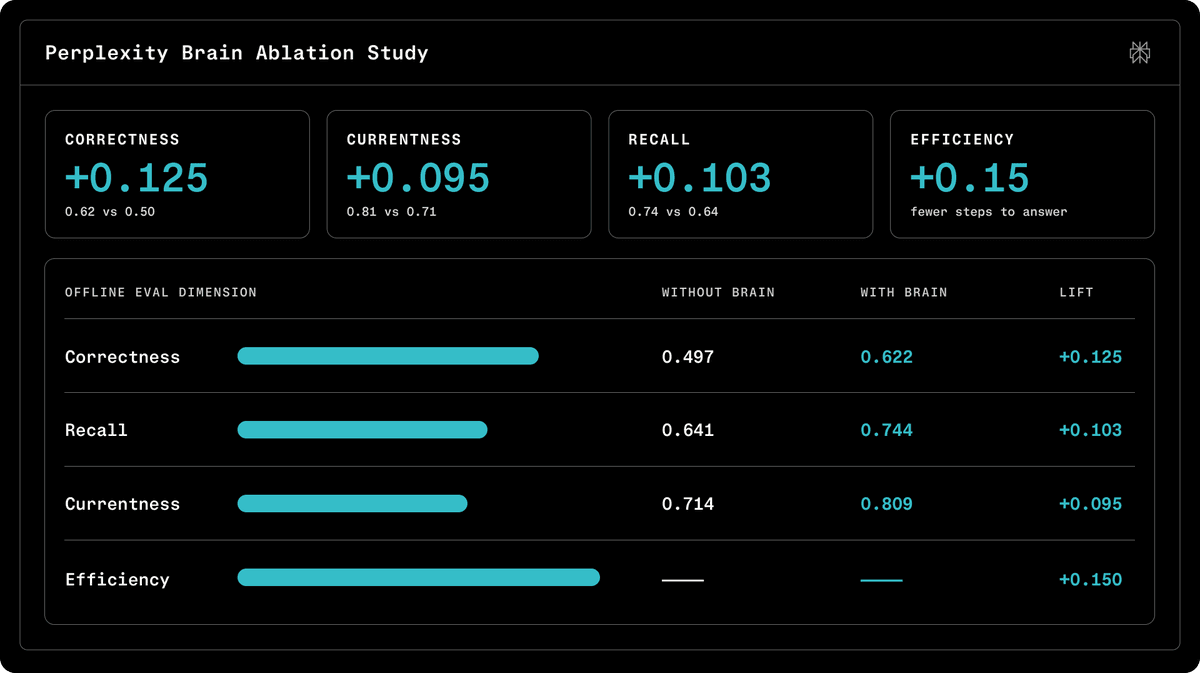
Computer now learns from every task. Brain builds a private context graph across your sessions, connectors, files, and past decisions, then refreshes it overnight so each new task starts already knowing what worked, what failed, and how you like things done. Every memory links back to its source, and you control what it keeps under Customize. In testing, Brain lifted answer correctness 25% and recall 16% while cutting cost 13% on tasks with prior context.
Try Brain to:
- Reuse what worked: “Pull my weekly finance update using the same format, sources, and tickers as last time.”
- Resume without recapping: “Pick up the project from two weeks ago using the decisions, files, and people already in context.”
- Audit and control memory: Open Customize to trace memories to their source sessions and remove anything you do not want kept.
Learn more: Self-improving memory for agents
Opus 4.8 fast mode in Computer
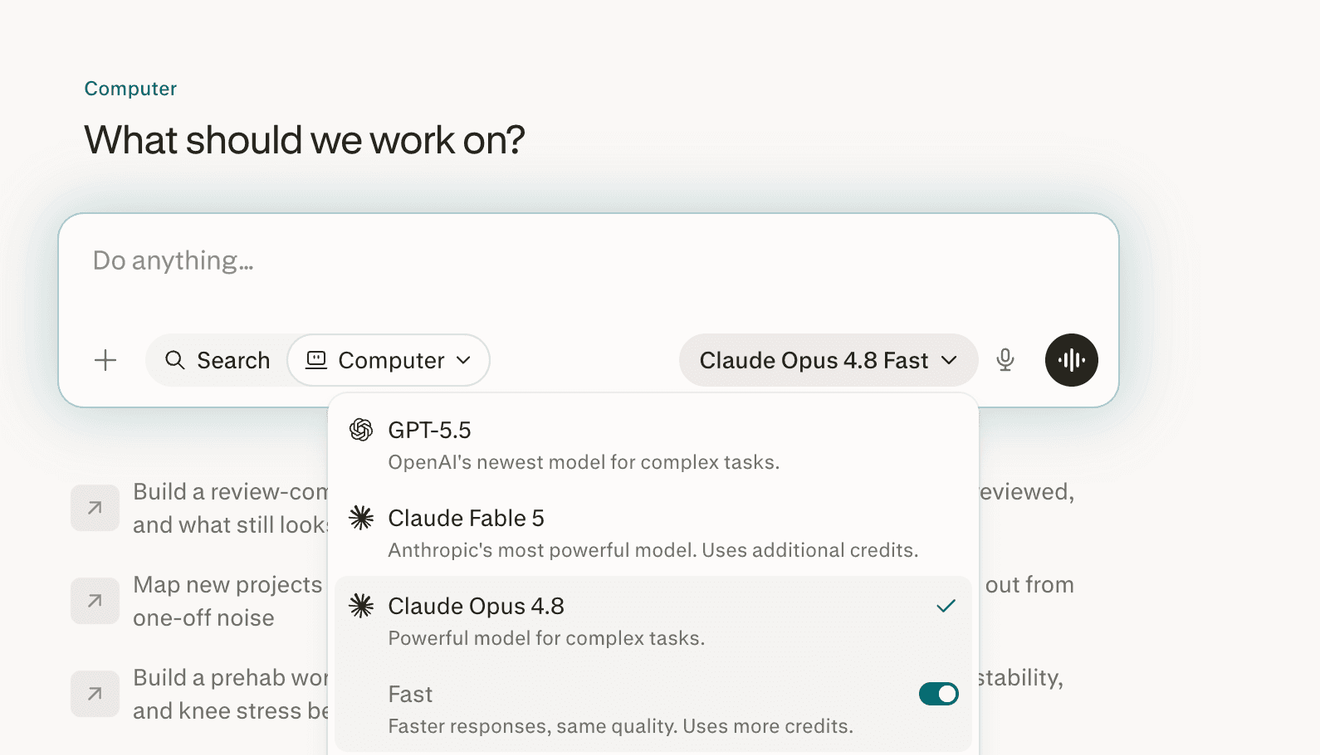
Computer now has Opus 4.8 available in Fast mode, delivering quicker responses for complex work without sacrificing quality. Turn on Fast mode to move through multi-step tasks faster. Live on web, with mobile coming soon.
Try fast mode to:
- Draft in one pass: “Draft, revise, and format a multi-section report on this topic.”
- Research quickly: “Research this topic across several sources and synthesize the findings.”
- Iterate back to back: “Revise this spec for clarity, tighten the scope, and format it for review.”
Learn more: AI models in Perplexity
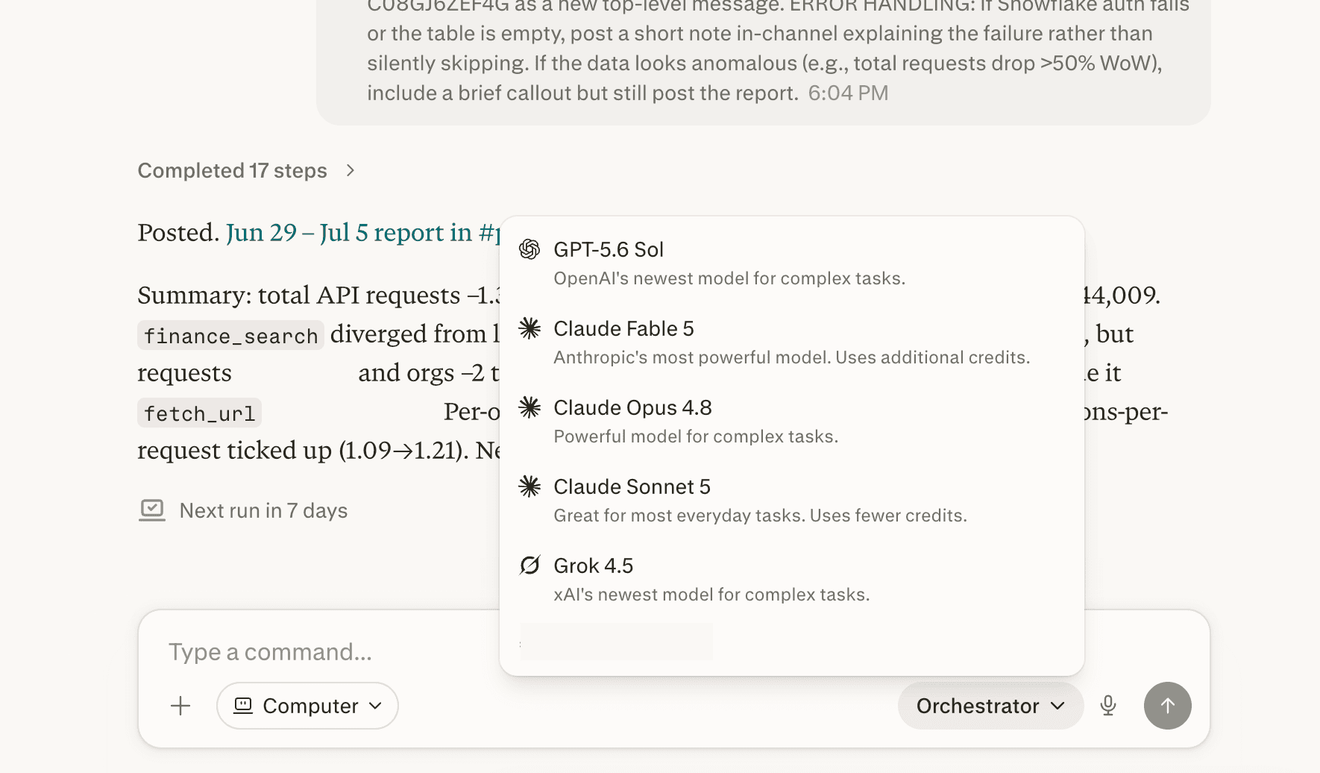
Claude Fable 5 as an orchestrator in Computer
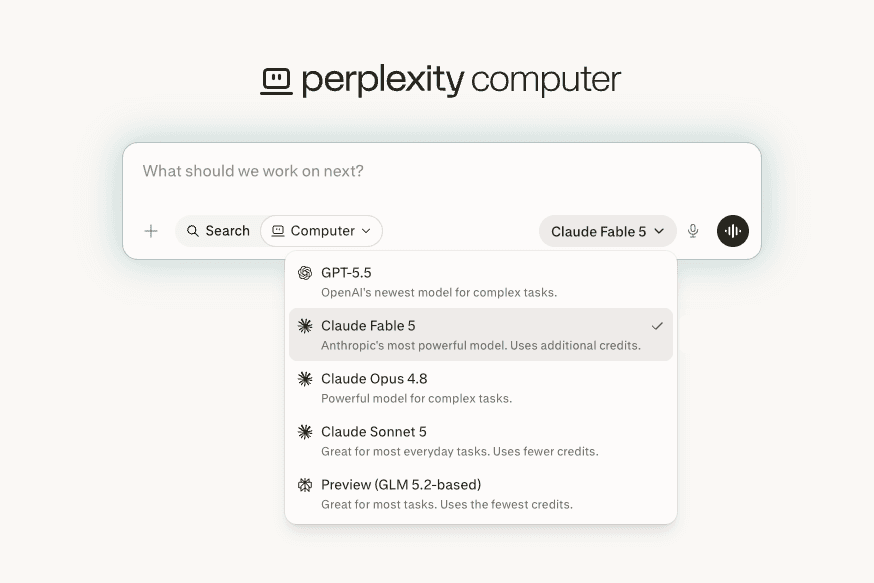
Pick Claude Fable 5 to orchestrate your most involved Computer tasks. As an orchestrator, it plans the work, routes subtasks to the right tools and models, and stitches the results together, making a strong fit for deep research synthesis and multi-source analysis.
Try Claude Fable 5 to:
- Orchestrate messy research: “Break this research question into parts, investigate each across the available sources, and return one synthesized answer.”
- Plan a long workflow: “Build a step-by-step market entry plan for this product, complete the research, and deliver the final brief.”
- Match the model to the job: Choose Claude Fable 5 when a task needs stronger planning and orchestration.
Learn more: AI models in Perplexity
Switch orchestrator models mid-task in Computer
Change the orchestrator model within a Computer task, not just at the start. Switch models between follow-up turns in the same task, so you can match the model to each step of the work without starting over.
Try mid-task model switching to:
- Escalate harder reasoning: Start on a fast model, then switch to a more capable orchestrator for a difficult follow-up in the same thread.
- Lower cost for iteration: Switch to a lower-cost model after the heavy reasoning is complete.
- Match each stage: Change orchestrators during a long workflow without leaving the task.
Learn more: AI models in Perplexity
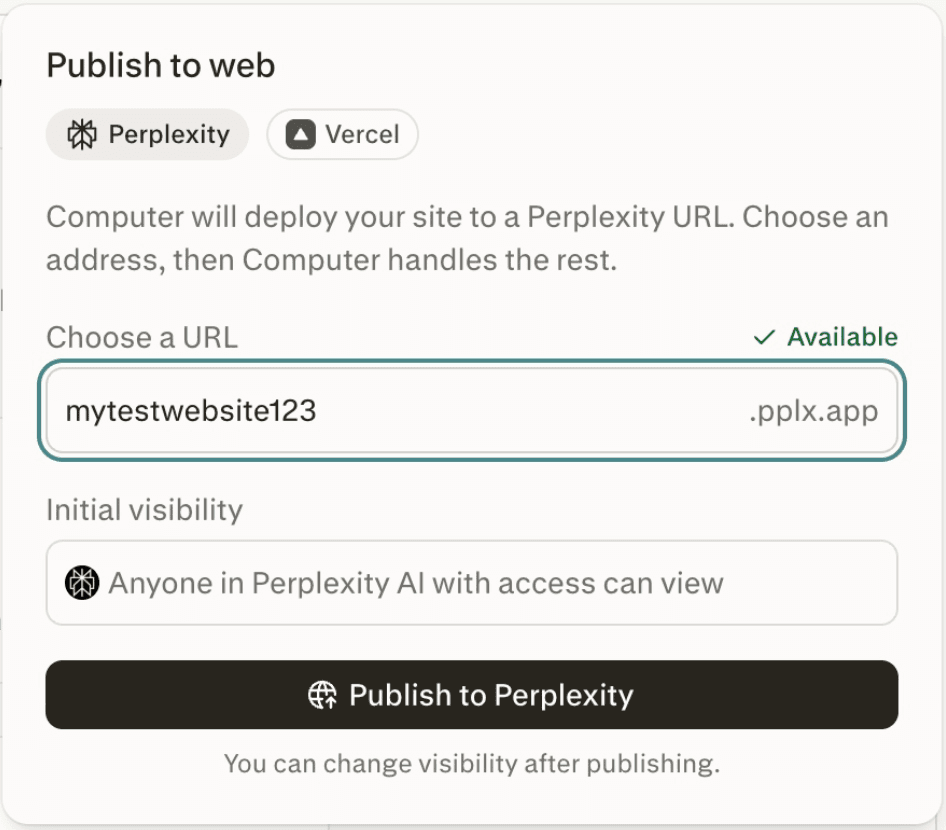
Publish your website to the web
Build a website with Computer and put it online in a click. Publish to a Perplexity-hosted pplx.app address, or connect Vercel to ship to your own custom domain. Choose exactly who can see it: just you, specific people, your whole organization, or everyone on the web. Share private sites with a built-in request-and-grant-access flow. Organization admins can turn off public publishing entirely, so teams can build and share internally while keeping everything behind their walls.
Try publishing to:
- Launch a landing page: “Build a landing page for this product, then publish it to a shareable pplx.app link.”
- Deploy to your domain: “Connect Vercel and deploy this site to my custom domain using my own infrastructure.”
- Share an internal dashboard: “Build an internal dashboard and publish it for my organization only.”
- Enforce private sharing: Disable public website publishing so your team can share sites only privately or organization-wide.
Learn more: Publishing your website to the web
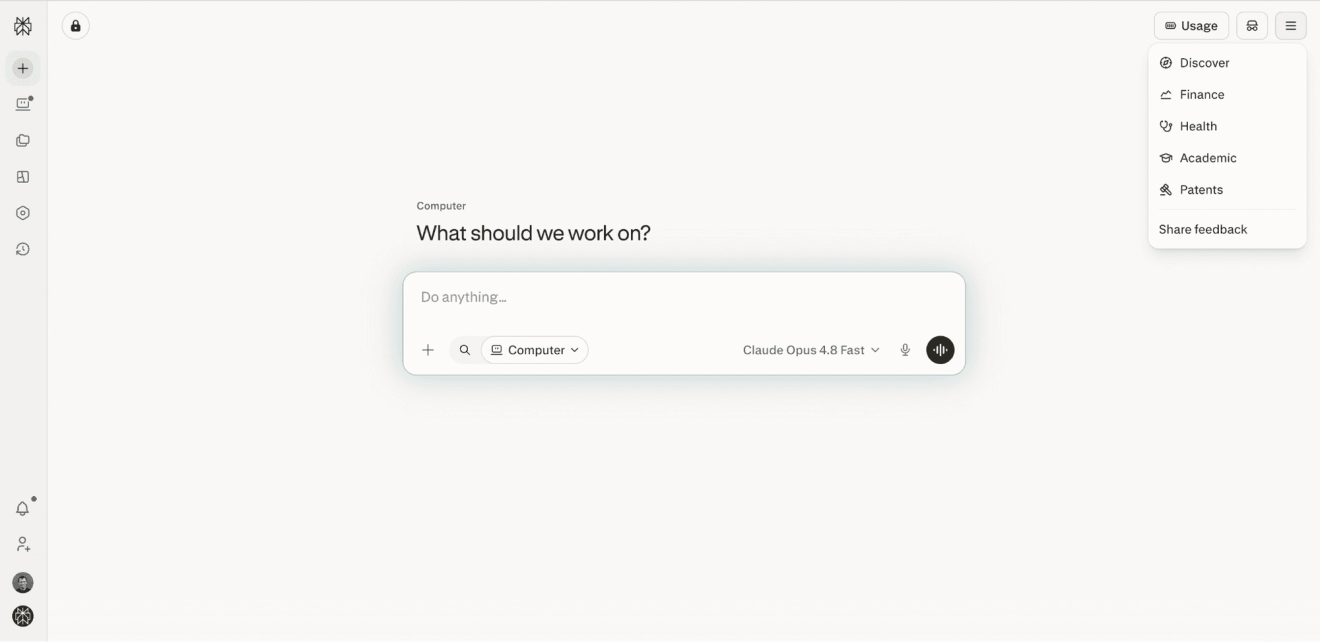
Streamlined homepage navigation
The homepage now rolls Discover, Finance, Health, Patents, and Academic into a single menu: a cleaner starting point that makes room for more apps and verticals over time. A first-time tooltip helps you find everything in its new home.
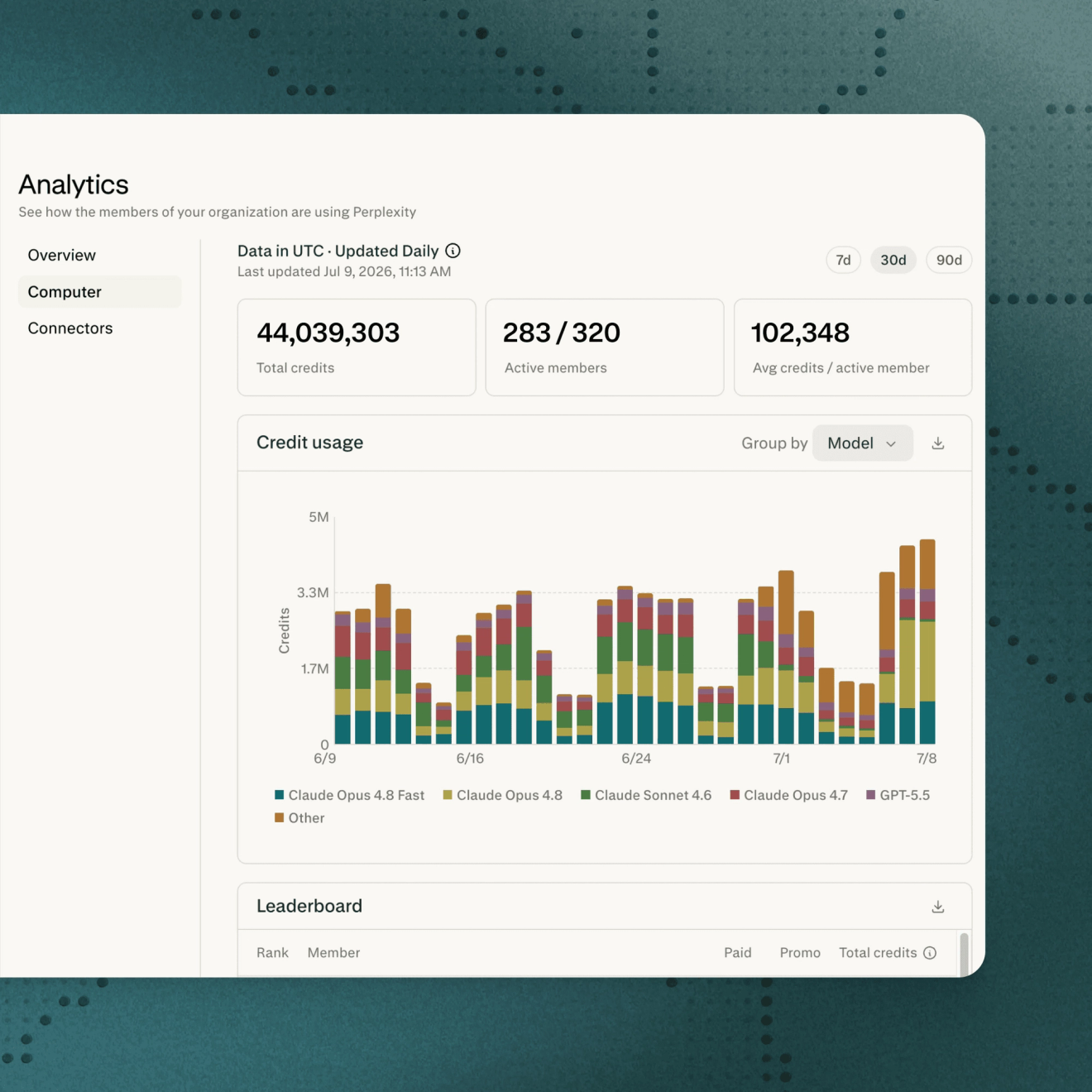
Usage analytics by model
See exactly which models are doing your work. Computer analytics and the admin API now break down usage by model for both individuals and organization admins, so you can track where your credits go and pull that data into the tools you already use. Available to everyone, consumer and enterprise.
Try usage analytics to:
- Review model spend: Review how your organization’s Computer credits are distributed across models over the last 90 days.
- Build a BI dashboard: Bring per-model usage data into your BI dashboard through the API.
- Optimize routing: See which models your team uses most to inform routing decisions.
Learn more: Computer analytics for org admins · API docs
Account switcher in the Mac app
Switch between accounts without signing out on the Mac app. Move between personal and work in a click, and keep each account's history and settings separate. Live for all Mac app users.
Try account switching to:
- Move between work and personal: Switch accounts without signing out and back in.
- Keep contexts separate: Maintain distinct histories, settings, and connected apps for every account on the same Mac.
- Change client context: Jump between projects tied to different accounts in one click.

Private company research in Computer
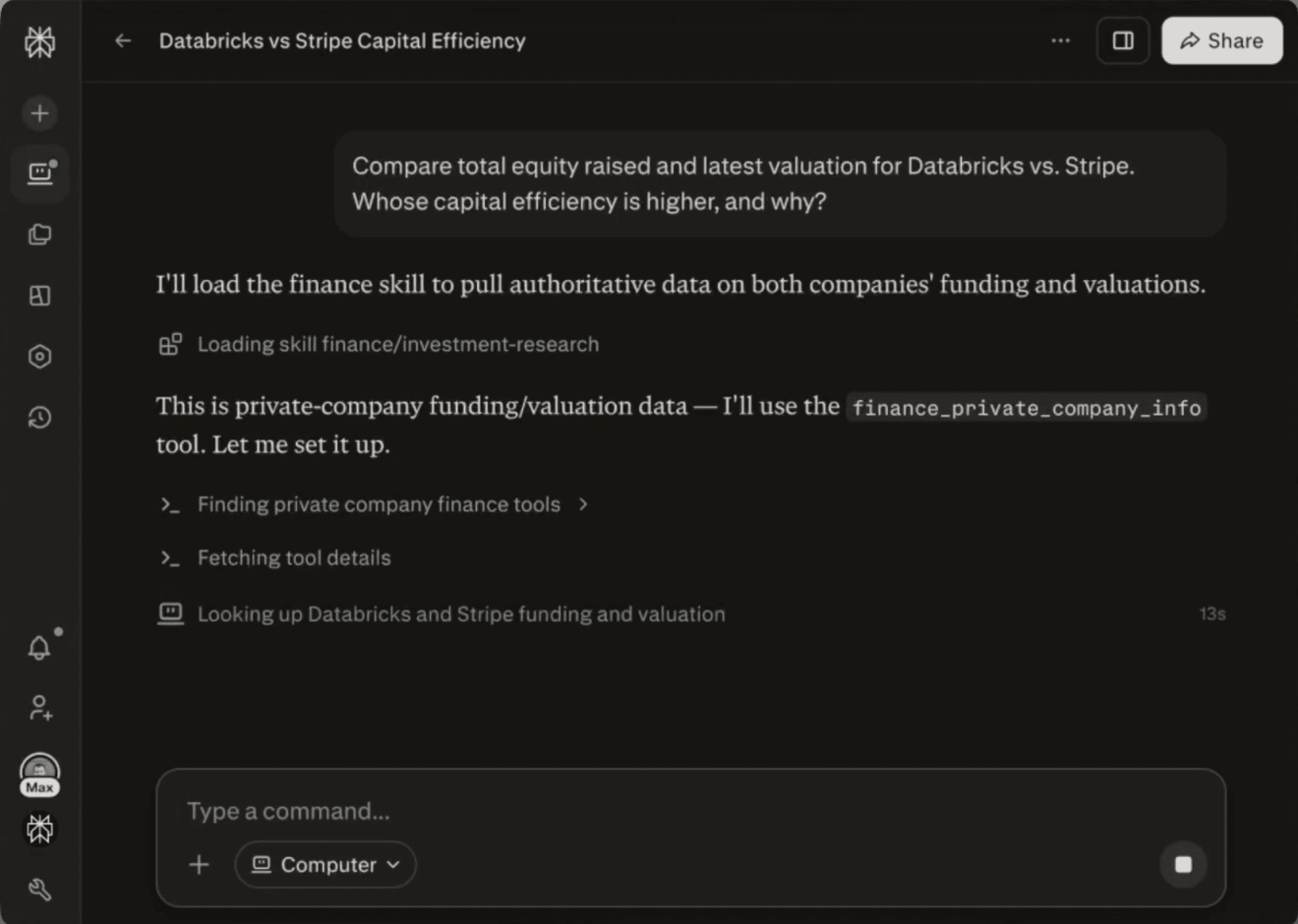
Computer now supports financial research on private companies: fundraising history, implied valuation, secondary pricing, public marks, and company profile. This data is sourced from Forge Global, and is available to all Computer users, with no setup or Forge Global license required.
Try private company research to:
- Compare private companies: “Compare total equity raised and latest valuation for Databricks and Stripe. Whose capital efficiency is higher, and why?”
- Analyze funding history: “Break down each Databricks funding round, total the cumulative amount raised, list its largest investors, and explain what the cap table implies for IPO readiness.”
- Interpret public marks: “Show recent public marks on OpenAI shares and explain what they imply.”
Learn more: Finance tools available with Computer