.%20Same%20paths%20and%20fill;%20only%20the%20viewBox%20is%20cropped%20to%20the%20file's%20own%20clip%20rect%20so%20the%20bar%20sets%20the%20clear%20space.%20--%3e%3csvg%20width='480.615'%20height='97.3693'%20viewBox='97%2078%20480.615%2097.3693'%20fill='none'%20xmlns='http://www.w3.org/2000/svg'%3e%3cg%20clip-path='url(%23clip0_1709_25672)'%3e%3cpath%20d='M507.64%20157.772C497.197%20157.772%20490.907%20152.963%20490.907%20141.818V78H503.605V97.3565H530.187L547.394%20137.712L562.584%2097.3565H577.062L544.784%20175.369H530.424L540.63%20151.907L521.406%20108.501H503.605V139.941C503.605%20144.751%20505.741%20146.628%20510.725%20146.628H522.236V157.772H507.64Z'%20fill='%23121516'/%3e%3cpath%20d='M467.845%20157.772V97.3565H480.543V157.772H467.845ZM467.489%2091.139V78H480.899V91.139H467.489Z'%20fill='%23121516'/%3e%3cpath%20d='M404.356%20157.772L425.005%20126.215L405.899%2097.3566H421.089L433.549%20118.004L446.128%2097.3566H461.318L442.212%20126.215L462.861%20157.772H447.671L433.549%20134.779L419.546%20157.772H404.356Z'%20fill='%23121516'/%3e%3cpath%20d='M377.834%20159.532C359.915%20159.532%20348.285%20146.745%20348.285%20127.271C348.285%20108.501%20360.034%2095.5968%20377.122%2095.5968C394.329%2095.5968%20405.84%20107.445%20405.84%20125.16C405.84%20127.858%20405.722%20129.852%20405.366%20131.494H361.458C362.17%20142.874%20367.747%20148.974%20377.953%20148.974C385.31%20148.974%20390.176%20145.689%20391.956%20139.237H404.891C402.043%20151.907%20391.837%20159.532%20377.834%20159.532ZM361.458%20121.64H392.905C392.193%20111.317%20386.853%20106.155%20377.122%20106.155C367.984%20106.155%20362.288%20111.903%20361.458%20121.64Z'%20fill='%23121516'/%3e%3cpath%20d='M328.431%20157.772V78H341.128V157.772H328.431Z'%20fill='%23121516'/%3e%3cpath%20d='M263.88%20175.369V97.3565H276.578V103.457C280.375%2098.4123%20287.021%2095.5968%20294.853%2095.5968C311.111%2095.5968%20321.316%20107.915%20321.316%20127.506C321.316%20147.097%20311.111%20159.532%20294.853%20159.532C287.021%20159.532%20280.375%20156.717%20276.578%20151.672V175.369H263.88ZM292.123%20148.035C302.685%20148.035%20308.263%20140.997%20308.263%20127.506C308.263%20114.132%20302.685%20107.093%20292.123%20107.093C281.443%20107.093%20275.866%20114.132%20275.866%20127.506C275.866%20140.997%20281.443%20148.035%20292.123%20148.035Z'%20fill='%23121516'/%3e%3cpath%20d='M224.479%20157.772V97.3566H237.176V103.809C239.55%2099.7028%20244.178%2097.3566%20249.874%2097.3566H258.181V109.322H249.874C241.092%20109.322%20237.176%20113.546%20237.176%20122.931V157.772H224.479Z'%20fill='%23121516'/%3e%3cpath%20d='M188.82%20159.532C170.9%20159.532%20159.271%20146.745%20159.271%20127.271C159.271%20108.501%20171.019%2095.5968%20188.107%2095.5968C205.315%2095.5968%20216.825%20107.445%20216.825%20125.16C216.825%20127.858%20216.706%20129.852%20216.35%20131.494H172.443C173.155%20142.874%20178.733%20148.974%20188.938%20148.974C196.296%20148.974%20201.161%20145.689%20202.941%20139.237H215.876C213.028%20151.907%20202.823%20159.532%20188.82%20159.532ZM172.443%20121.64H203.891C203.179%20111.317%20197.838%20106.155%20188.107%20106.155C178.97%20106.155%20173.274%20111.903%20172.443%20121.64Z'%20fill='%23121516'/%3e%3cpath%20d='M97%20175.369V97.3565H109.698V103.457C113.495%2098.4123%20120.141%2095.5968%20127.973%2095.5968C144.231%2095.5968%20154.436%20107.915%20154.436%20127.506C154.436%20147.097%20144.231%20159.532%20127.973%20159.532C120.141%20159.532%20113.495%20156.717%20109.698%20151.672V175.369H97ZM125.244%20148.035C135.805%20148.035%20141.383%20140.997%20141.383%20127.506C141.383%20114.132%20135.805%20107.093%20125.244%20107.093C114.563%20107.093%20108.986%20114.132%20108.986%20127.506C108.986%20140.997%20114.563%20148.035%20125.244%20148.035Z'%20fill='%23121516'/%3e%3c/g%3e%3cdefs%3e%3cclipPath%20id='clip0_1709_25672'%3e%3crect%20width='480.615'%20height='97.3693'%20fill='white'%20transform='translate(97%2078)'/%3e%3c/clipPath%3e%3c/defs%3e%3c/svg%3e)
השקת Comet iOS ועדכונים ל-Computer
Comet iOS
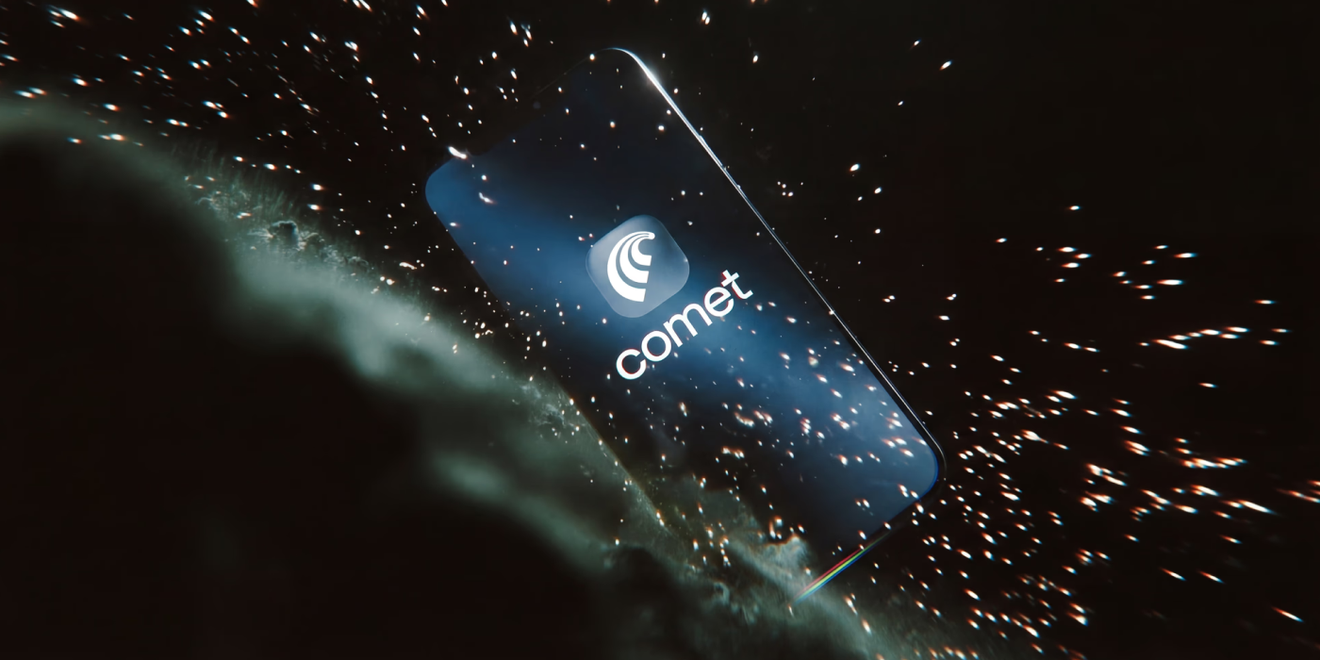
השבוע, Perplexity השיקה את Comet לכל משתמשי iOS. עם עדכון זה, Comet זמין כעת בכל הפלטפורמות המובילות: iOS, Android, Mac ו-Windows. כעת באפשרותך לבקש מ-Comet עזרה במחקר או בעבודה מכל מקום בעולם. לקבלת החוויה הטובה ביותר, שלב בין הדפדפנים בנייד ובמחשב השולחני באמצעות סנכרון המכשירים של Comet, כך שתוכל לעבור בצורה חלקות ל-Comet iOS.
למידע נוסף: Comet ב-App Store · דף הנחיתה של Comet · סנכרון המכשירים של Comet
עדכונים ל-Computer
עריכה מוטמעת עבור כל נכס שנוצר על ידי Computer: סמן תיבת בחירה מעל כל חלק במסמך, מצגת, גיליון אלקטרוני, אפליקציית אינטרנט או קובץ PDF שנוצרו על ידי Computer, הקלד הוראה קצרה, ו-Computer יערוך בדיוק את האזור הזה במקום. אין צורך לתאר לאן השינוי צריך להגיע — Computer רואה בדיוק למה אתה מצביע.
ניהול משימות מתוזמנות: תצוגת מסך בית חדשה מציגה כל משימה מתוזמנת במקום אחד. ניתן להשהות או לבטל כל משימה בנפרד, גם אם היא נוצרה לצד אחרות באותו שרשור.
שיחות ארוכות חכמות יותר: Computer מזהה מתי שיחה הופכת לארוכה וכעת מציע אפשרות — להרחיב את ההקשר המלא לפרטים עשירים יותר, או לתת לComputer לסכם ולהמשיך בעלות נמוכה יותר. ההנחיה מופיעה בתוך השורה מבלי לחסום את השרשור, ועובדת הן באינטרנט והן בנייד.
מונה קרדיטים בזמן אמת: סך הקרדיטים המתעדכן גלוי כעת בזמן ש-Computer פועל, ומציג בדיוק כמה עלתה משימה עד כה בזמן אמת.
בחירה מרובה ומחיקה מרוכזת של משימות: בחר מספר משימות מרשימת המשימות ומחק אותן בפעולה אחת. מחיקת משימה בודדת מציגה כעת דו-שיח אישור לפני הסרת כל דבר.
כתיבה מבוססת Markdown עם ייצוא לפי דרישה: Computer כותב כעת ב-Markdown קל משקל כברירת מחדל במקום ליצור קובצי PDF. פטי קובצי Markdown מופיעים כדוחות נקיים בשרשור, וניתן גם להוריד אותם כקובצי PDF או DOCX בכל עת.
עדכוני Computer Enterprise
תהליכי עבודה חדשים: תהליכי עבודה של Computer, הזמינים כעת למשתמשי Enterprise, כוללים כעת שישה תהליכי עבודה, עם שתי תוספות חדשות: יצירת אתרים ובדיקת אתרים הכוללת SEO/GEO, נגישות, מיצוב מותג ועוד. אנו בודקים תהליכי עבודה נוספים ומתכננים להפוך אותם לזמינים עבור חשבונות Consumer בשבועות הקרובים. גישה לתהליכי עבודה מסרגל המשימות ב-Computer.
עדכוני מחבר Computer: שיפורי ביצועים למחברים לחיבורים ביצועיים יותר בין Computer לבין אקוסיסטם האפליקציות של המנויים שלנו. הוספנו מחבר Vercel ומחבר Box משופר לקריאה וכתיבה של קבצים ב-Box. כמו כן, מנויים יכולים כעת לבקש להוסיף קבצים מצורפים לאימיילים הנשלחים באמצעות Computer (לדוגמה, דוחות שנוצרו יכולים להישלח כעת באימייל על ידי Computer).
Computer ב-Slack: שיפורים באפליקציית Slack כדי לעזור למנויי Perplexity החדשים ב-Slack Workspace שלכם לבצע קליטה (onboarding) ולהתחיל להשתמש ב-Computer ב-Slack. כל המנויים החדשים מקבלים גם קרדיטים שיווקיים נוספים בעת שימוש ב-Computer ב-Slack. הוסף לסביבת העבודה שלך ב-Slack כאן.
פקדי ניהול אבטחת רשת של ארגז חול (sandbox) ב-Computer: בקרות אבטחה מתקדמות חדשות למנהלי מערכת ארגוניים להגדרת גישה לאינטרנט בארגזי חול של Computer. לגשת להגדרות אלו בלשונית תצורת Computer בהגדרות.
למידע נוסף: Computer עבור Enterprise · מחברי Computer · Computer ב-Slack
מולטי-מודאליות ויצירת נכסים במחקר מעמיק
מחקר מעמיק של Perplexity ו-Pro Search תומכים כעת ביצירת מצגות, גיליונות אלקטרוניים, לוחות בקרה, אתרים ופלטות מובנות אחרות ישירות בתוך המוצר, ומביאים מחקר ויצירה לתהליך עבודה יחיד.
עם הסקת מסקנות מרובת שלבים על פני מאות מקורות, Perplexity כבר עוזר למשתמשים לסנתז נושאים מורכבים בעומק. כעת, ניתן להפוך את אותו מחקר לתוצרים שמישים שמשתמשים יכולים ליישם מיד בעבודה.
זהו אבן הדרך הבאה עבור סוכני מחקר מעמיק: לא רק יצירת תובנות, אלא הפיכת התובנה הזו למשהו מוחשי וניתן לפעולה באותו תהליך.
במצב Pro Search או מחקר מעמיק, משתמשים יכולים פשוט להקליד, לדוגמה, “צור מצגת המנתחת את שוק סוכני הבינה המלאכותית”. במקום לחבר יחד מחקר, סינתזה, עיצוב ומצגת על פני מספר כלים, Perplexity מביא את תהליך העבודה המלא למקום אחד.
מקרה שימוש לדוגמה: צור מצגת המנתחת את שוק סוכני הבינה המלאכותית
Health Computer
Perplexity Health מופץ כעת למנויי Perplexity Pro ו-Max. באפשרותך לחבר באופן מאובטח את כל מקורות נתוני הבריאות שלך במקום אחד, כולל רשומות רפואיות מיותר ממיליון ספקים, כמו גם האפליקציות והמכשירים האהובים עליך כמו Fitbit, Google Fit, Cronometer, Clue ועוד.
מחברים אלו משולבים בעומק ב-Perplexity Computer, כך שתוכל ללכת מעבר לצפייה בנתונים בלבד. באפשרותך לשאול שאלות, לגלות מגמות ואפילו לנקוט פעולה על ידי בניית סוכנים המנתחים את נתוני הבריאות שלך, מייצרים תוכניות מותאמות אישית ועוזרים לך להגיע לישגים ספציפיים — בין אם מדובר בניהול מחלות כרוניות, שיפור השינה או אופטימיזציה של הכושר הגופני.
נסה לשאול את Computer:
- סכם את נתוני הבריאות שלי ב-3 החודשים האחרונים והדגש מגמות שכדאי לשים לב אליהן.
- הסבר את בדיקת הדם האחרונה שלי וספר לי מה משתפר או מחמיר לאורך זמן.
- בנה עבורי לוח בקרה מותאם אישית כדי לעקוב אחר אימוני המרתון שלי והדגש אזורים לשיפור.
- עקוב אחר מגמות הסוכר והפעילות שלי והצע דרכים לניהול טוב יותר של סוכרת מסוג 2.
למידע נוסף: Perplexity Health · הודעת ההשקה של Perplexity Health
Finance Computer
Finance Computer מאפשר לך לבצע את המחקר הפיננסי הטוב ביותר שלך.
ל-Perplexity Computer יש למעלה מ-40 קריאות כלי פיננסיים העובדות מהקופסה, ללא צורך בהתקנה או אימות. כלים אלו שולפים נתונים ממקורות מוסמכים: דיווחי SEC, תמלילי שיחות רווחים, הערכות קונצנזוס של FactSet, בורסות מניות כמו NASDAQ ו-NYSE, Coinbase ועוד.
כעת באפשרותך גם לחבר באופן מאובטח את תיק ההשקעות האישי שלך דרך Plaid.
בקש מ-Computer לבצע פעולות כמו:
- צור תחזית DCF ל-5 שנים עבור Nvidia, המופקת הן כגיליון אלקטרוני והן כמצגת
- שלוף חברות דומות ציבוריות עבור חברה פרטית
- צור כלי המאפשר לי לחפש מילות מפתח בתמלילי שיחות רווחים
- צור לוח בקרה בסגנון מסוף הממחיש ויזואלית את תיק ההשקעות שלי
למידע נוסף: Perplexity Finance · תיק השקעות פיננסי · הודעת ההשקה של Plaid