Collect unstructured data

Collect unstructured data

Collect unstructured data

Business

Business

Marketing

Marketing

Comet search

Comet search

Overview

Overview

Overview

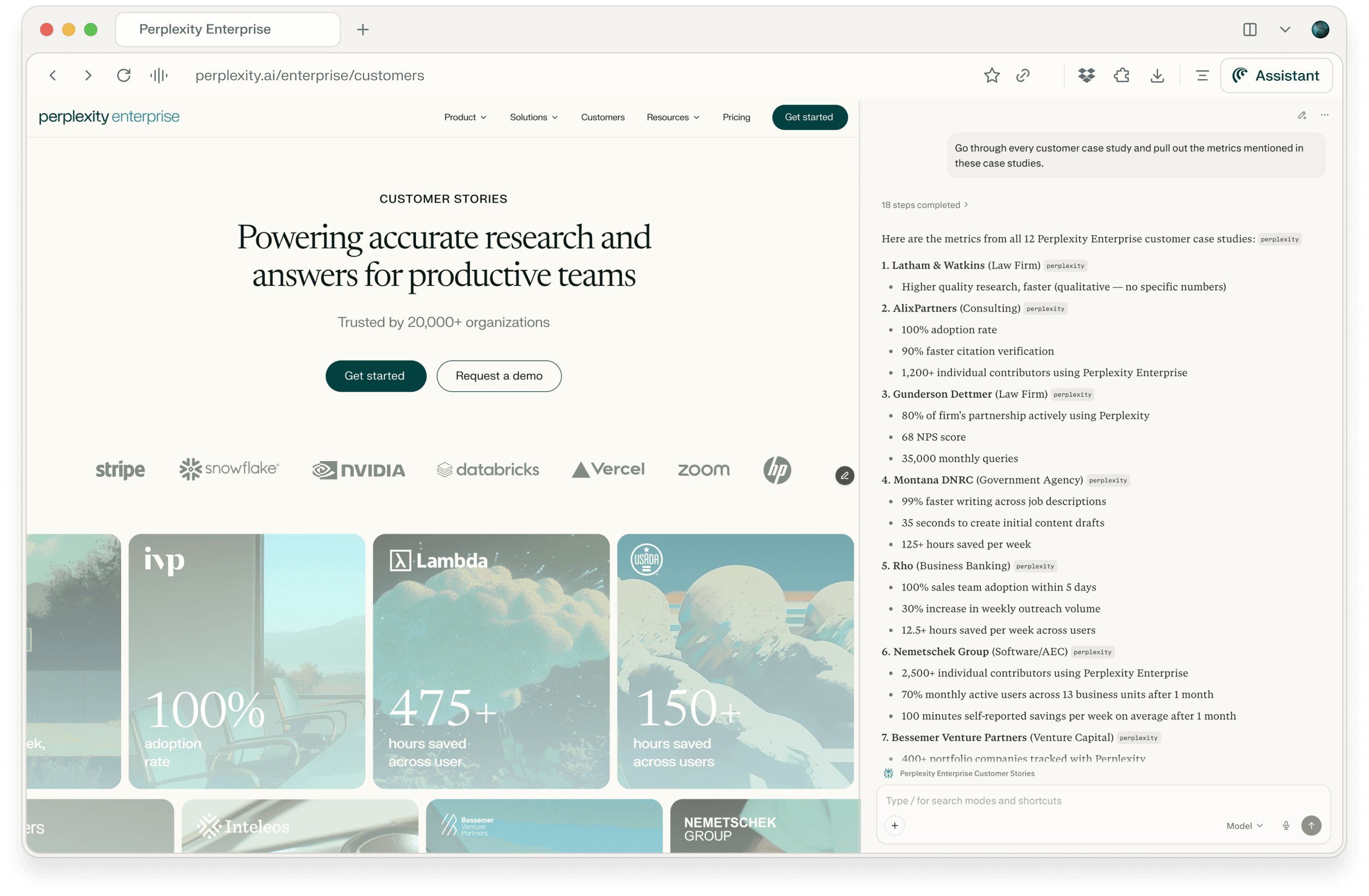
Extracting unstructured data can take a lot of time via clicks and copy and pasting. For example, marketing and sales teams need quick access to proof points from customer success stories. Perplexity lets you analyze multiple case studies at once and extract key metrics like ROI improvements, time savings, or adoption rates without manually reviewing each document.

Extracting unstructured data can take a lot of time via clicks and copy and pasting. For example, marketing and sales teams need quick access to proof points from customer success stories. Perplexity lets you analyze multiple case studies at once and extract key metrics like ROI improvements, time savings, or adoption rates without manually reviewing each document.

Extracting unstructured data can take a lot of time via clicks and copy and pasting. For example, marketing and sales teams need quick access to proof points from customer success stories. Perplexity lets you analyze multiple case studies at once and extract key metrics like ROI improvements, time savings, or adoption rates without manually reviewing each document.

Query:

Query:

Query:

Go through every customer case study and pull out the metrics mentioned in these case studies.

Go through every customer case study and pull out the metrics mentioned in these case studies.

Your search

In the Comet assistant panel, ask Comet to extract specific quantitative or qualitative data across different pages.

Go through every customer case study and pull out customer quotes and the metrics mentioned in these case studies. Organize the metrics by adoption rate, time saved, and miscellaneous.


Key output

Perplexity scans through all your case studies and returns a organized summary of metrics found across customers.

This makes it easy to:

  • Build a metrics library for sales enablement

  • Find the strongest proof points for specific use cases to share on calls

  • Quickly populate presentations or one-pagers

Tips

  • Be specific about what types of metrics you're looking for: "Find all ROI and time-saving metrics" or "Extract adoption and engagement numbers."

  • Use this approach for other content analysis tasks like pulling quotes, identifying common pain points, or finding implementation timelines.

  • Save frequently used queries as templates for your team to run regularly.