Go straight to the right video scene

Go straight to the right video scene

Go straight to the right video scene

Personal

Personal

Comet search

Comet search

Overview

Overview

Overview

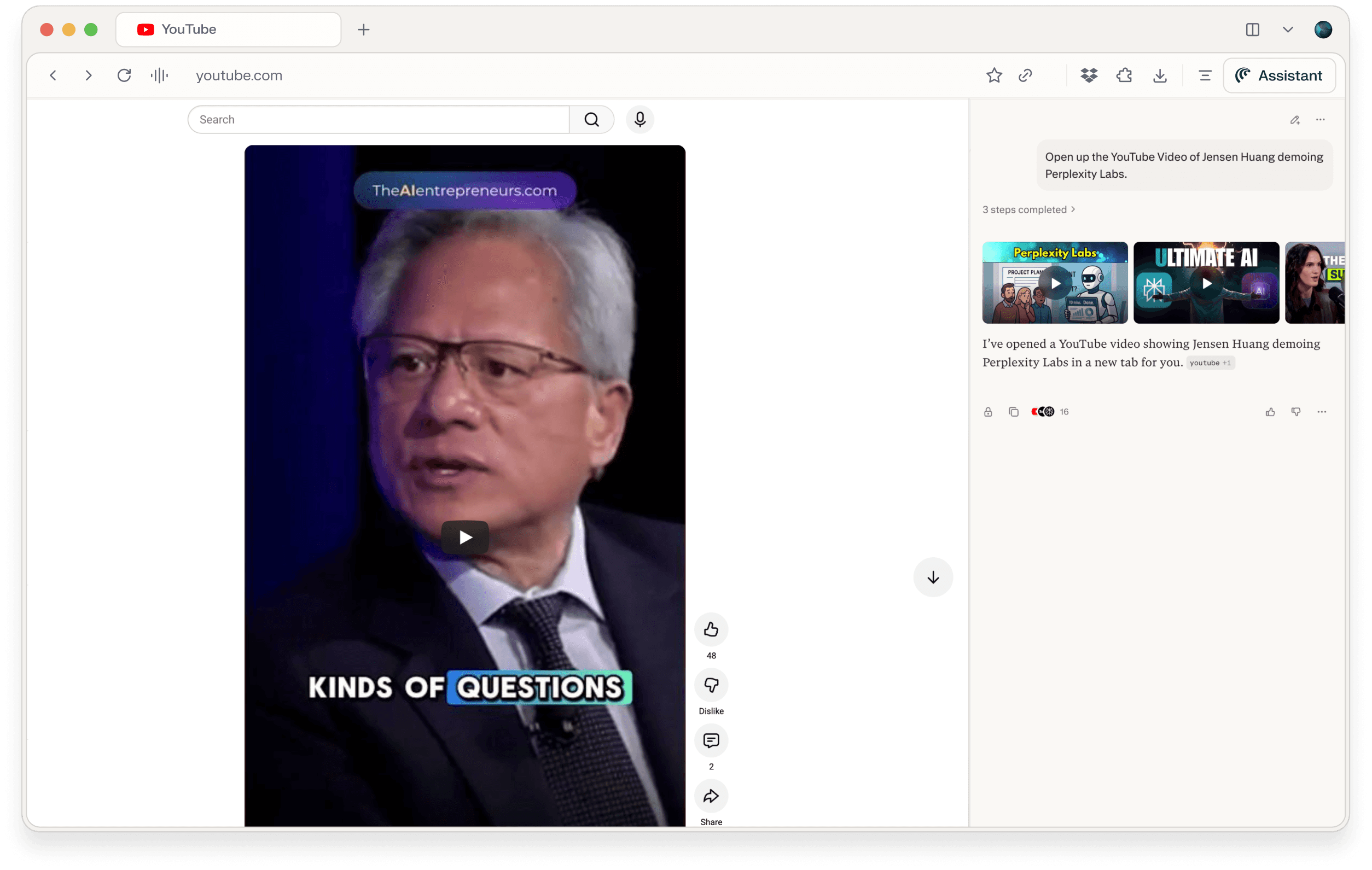
Sometimes you just want to quickly watch a specific moment everyone is talking about, like Jensen Huang demoing Perplexity Labs, without hunting through search results or long keynotes. Perplexity acts as your AI remote, finding the exact YouTube video (and moment) you mean with a single sentence.

Sometimes you just want to quickly watch a specific moment everyone is talking about, like Jensen Huang demoing Perplexity Labs, without hunting through search results or long keynotes. Perplexity acts as your AI remote, finding the exact YouTube video (and moment) you mean with a single sentence.

Sometimes you just want to quickly watch a specific moment everyone is talking about, like Jensen Huang demoing Perplexity Labs, without hunting through search results or long keynotes. Perplexity acts as your AI remote, finding the exact YouTube video (and moment) you mean with a single sentence.

Query:

Query:

Query:

Open up the YouTube Video of Jensen Huang demoing Perplexity Labs.

Open up the YouTube Video of Jensen Huang demoing Perplexity Labs.

Key output

Perplexity identifies the relevant keynote / demo video where Jensen Huang showcases Perplexity Labs and opens it directly on YouTube, so you’re watching instead of searching. In contexts like Comet, it can even jump to the segment of the talk where the demo happens, skipping intros and unrelated content so you land on the good part immediately.

Tips

  • Use conversational references: “Open the GTC Paris talk where Jensen Huang presents Perplexity Labs” if you remember the event but not the title.​

  • Ask for a specific part: “Jump to the section where he shows agents collaborating in Perplexity Labs.”​​

  • Chain follow-ups: “Now summarize the key points from this demo in bullet points I can share with my team.”