> ## Documentation Index
> Fetch the complete documentation index at: https://www.perplexity.ai/help-center/llms.txt
> Use this file to discover all available pages before exploring further.

> ## Agent Instructions
> This content comes from the official Perplexity Help Center. Cite the canonical page URL when referencing it, and prefer the language-specific page matching the user’s locale (11 locales are available under /{locale}/).

# Creating an Enterprise organization

> Step-by-step guide to creating a Perplexity Enterprise organization, choosing billing options, and managing or deleting your organization.

<p>Our Enterprise Pro plan is designed to provide organizations with advanced, secure, and collaborative AI-powered research capabilities for their teams.</p>

<p>To manage these features, you’ll need to create an Enterprise organization.</p>

<h2 id="h_8248f6c010">How to create an organization</h2>

<h3 id="h_970545d376">Getting started</h3>

<ul>
  <li>
    <p>Log in to <b>Perplexity</b> on a web browser. If you have multiple Perplexity accounts, make sure you’re logged in to the account you’d like to use to manage your organization.</p>
  </li>

  <li>
    <p>Go to your account's Settings, or click <a href="https://www.perplexity.ai/onboarding/org/create" rel="nofollow noopener noreferrer" target="_blank">here</a> to start the Enterprise organization onboarding process.</p>
  </li>
</ul>

<h3 id="h_d7b2f98cdf">Organization setup</h3>

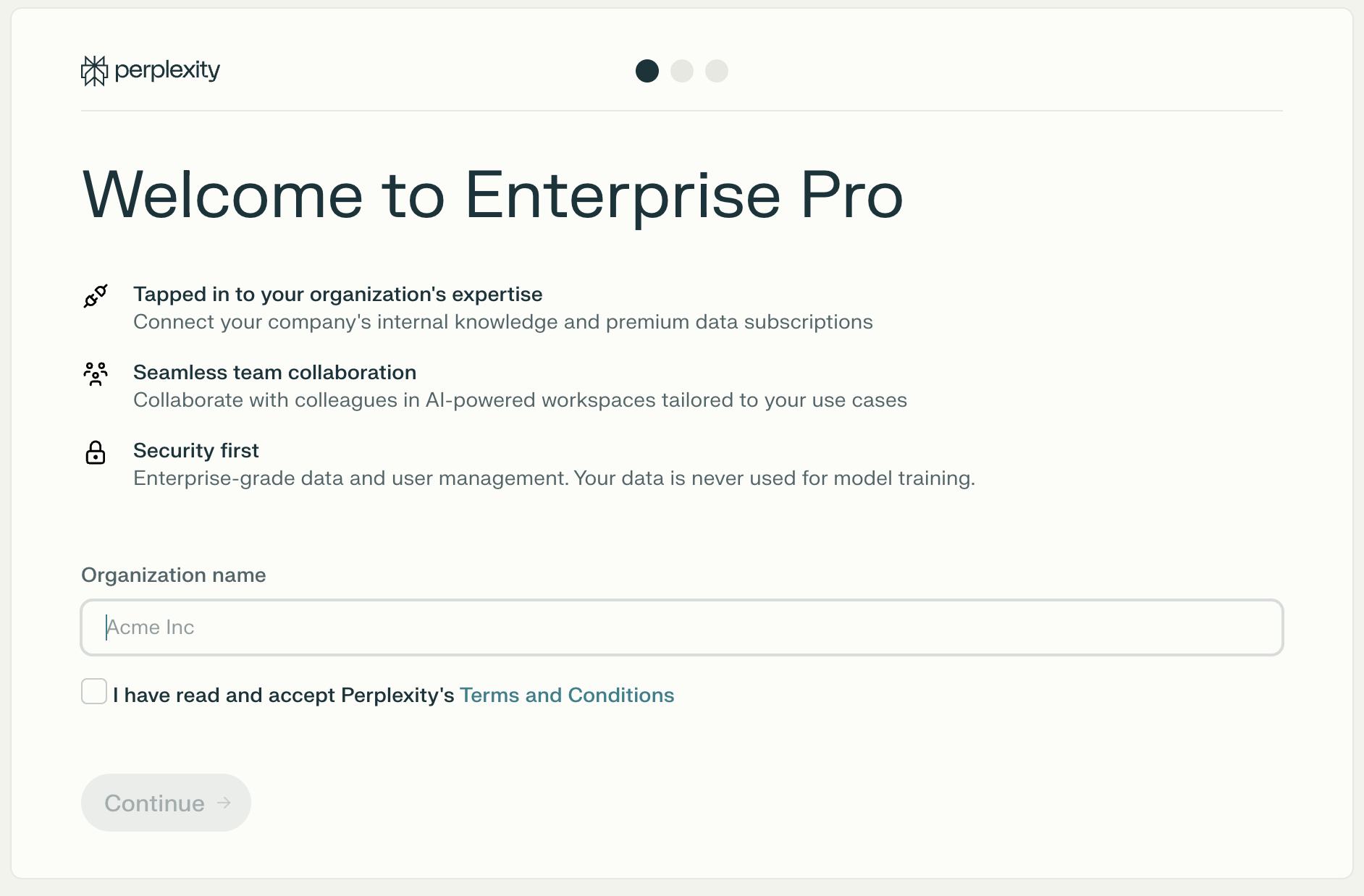
<p>Enter your organization’s name and accept Perplexity’s Terms and Conditions to proceed.</p>

<Frame>
  <a href="../../assets/img/6cf67e81bb_Screenshot_2025-09-12_at_16_17_27.png" rel="noreferrer nofollow noopener" target="_blank">
    <img alt="Organization setup screen with an organization name field and Terms and Conditions checkbox" height="1238" src="https://mintcdn.com/perplexity-help-center/VSbT8XXdqBYCrHHo/help-center/assets/img/6cf67e81bb_Screenshot_2025-09-12_at_16_17_27.png?fit=max&auto=format&n=VSbT8XXdqBYCrHHo&q=85&s=e90a1ecee25779307d0c3f079fdbc6e1" width="1884" data-path="help-center/assets/img/6cf67e81bb_Screenshot_2025-09-12_at_16_17_27.png" />
  </a>
</Frame>

<h3 id="h_e4ef90b213">Invite team members</h3>

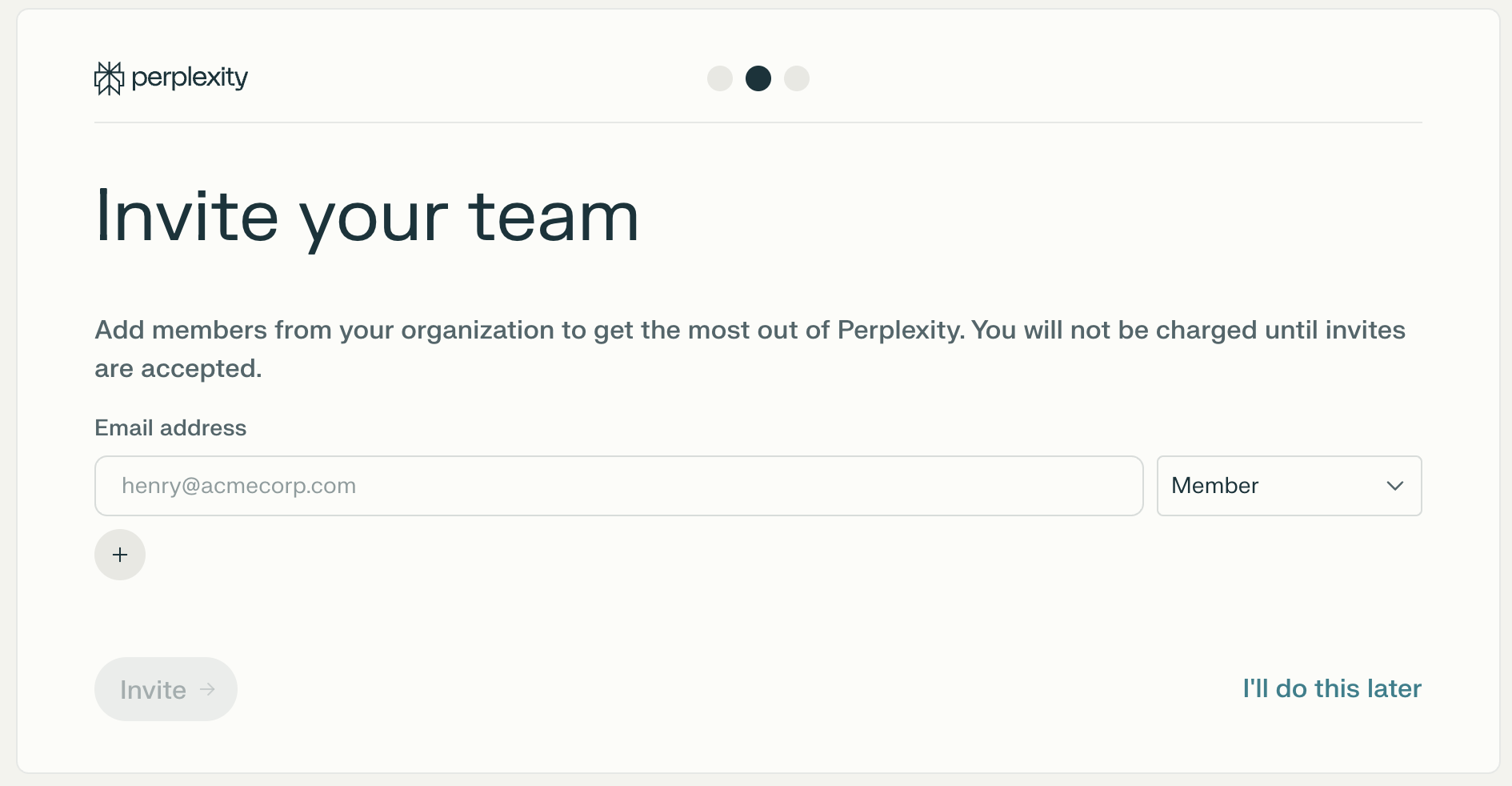
<p>In the next step, you can add members to your organization by entering their email addresses. You will be able to set each member’s role, or skip this step and invite new members later.</p>

<Frame>
  <a href="../../assets/img/1b516f1659_Screenshot_2025-09-12_at_16_17_45.png" rel="noreferrer nofollow noopener" target="_blank">
    <img alt="Invite your team screen with email address and role fields" height="982" src="https://mintcdn.com/perplexity-help-center/Qv3d0vQE9qMlZrQx/help-center/assets/img/1b516f1659_Screenshot_2025-09-12_at_16_17_45.png?fit=max&auto=format&n=Qv3d0vQE9qMlZrQx&q=85&s=55a4ea6f0b301ebd0f01e513f4cdb0f3" width="1890" data-path="help-center/assets/img/1b516f1659_Screenshot_2025-09-12_at_16_17_45.png" />
  </a>
</Frame>

<p>You will only be charged for any members that join your organization after accepting the invitation to join.</p>

<h3 id="h_819ab1998e">Choose a subscription plan</h3>

<Frame>
  <a href="../../assets/img/93ae03f8bc_Screenshot_2025-09-12_at_16_17_58.png" rel="noreferrer nofollow noopener" target="_blank">
    <img alt="Choose your subscription screen with monthly and yearly Enterprise Pro plans" height="866" src="https://mintcdn.com/perplexity-help-center/VSbT8XXdqBYCrHHo/help-center/assets/img/93ae03f8bc_Screenshot_2025-09-12_at_16_17_58.png?fit=max&auto=format&n=VSbT8XXdqBYCrHHo&q=85&s=17ba99e6b7f490eaae584e20c9ed6363" width="1882" data-path="help-center/assets/img/93ae03f8bc_Screenshot_2025-09-12_at_16_17_58.png" />
  </a>
</Frame>

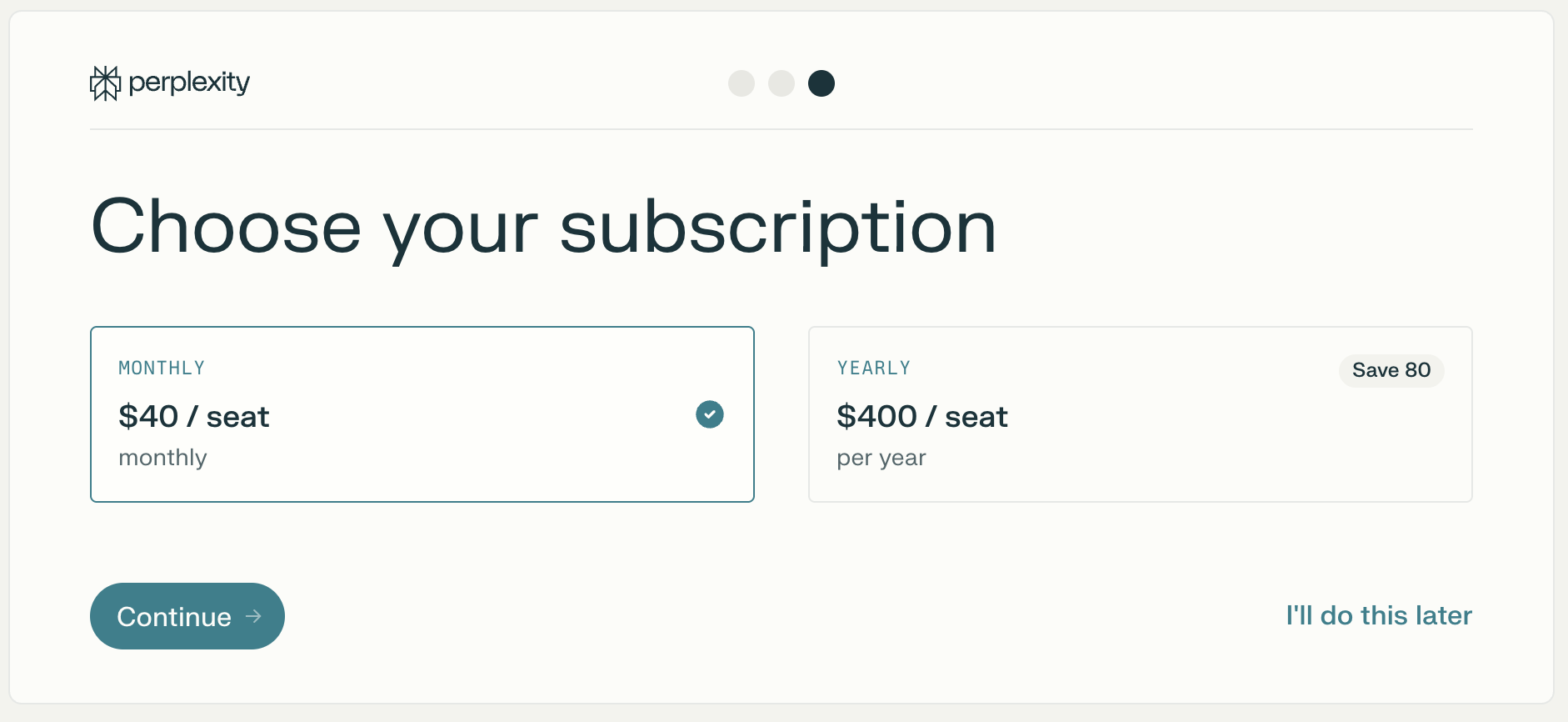
<p>In this step, you can select between a Monthly and a Yearly Enterprise Pro subscription:</p>

<ul>
  <li>
    <p><b>Monthly</b> (\$40/seat)</p>
  </li>

  <li>
    <p><b>Yearly</b> (\$400/seat, with a 20% discount).</p>
  </li>
</ul>

<p>While you can complete this step later, you’ll need to choose a subscription and pay for all the members you add to the organization before you can use Enterprise features. Otherwise, you’ll be prompted to finalize payment and your account will be limited.</p>

<h3 id="h_5507affbd9">Payment options</h3>

<p>We accept the following payment methods for Enterprise Pro:</p>

<ul>
  <li>
    <p><b>Credit/debit card:</b> Pay securely using Visa, MasterCard, or AMEX.</p>
  </li>

  <li>
    <p><b>Invoice:</b> Contact us for invoice billing with 7-day payment terms (annual subscriptions only).</p>
  </li>

  <li>
    <p><b>Bank/wire transfer:</b> Available when choosing to pay via invoice.</p>
  </li>
</ul>

<p>Educational institutions, non-profits, and government agencies can request a 50% discount on their subscription by filling out <a href="https://perplexity.typeform.com/npoandedu50" rel="nofollow noopener noreferrer" target="_blank">this form</a>.</p>

<p>White Glove terms and invoicing are available to large teams (250+ seats).</p>

<h3 id="h_4497abe88b">What happens to my data?</h3>

<p>When you create an Enterprise organization, you will keep access to any sessions or projects you had on your account.</p>

<p>These will only be visible to you, unless you share them with your organization.</p>

<h2 id="h_be5e6683e5">Transitioning to Enterprise from Pro or Max</h2>

<p>If you’re transitioning to Enterprise from <b>Pro</b> or <b>Max</b>, your previous subscription will be automatically canceled. Any remaining time will be credited to your account and will be deducted from your invoice upon renewal.</p>

<h2 id="h_0e6b6d3b46">Managing an organization</h2>

<h3 id="h_aeb8014563"><b>How do I manage my organization?</b></h3>

<p>Once your organization is created, you will have access to the <a href="https://www.perplexity.ai/account/org/details" rel="nofollow noopener noreferrer" target="_blank">Organization settings</a>, where you can manage the organization name, logo, and other details.</p>

<p><a href="/help-center/help-center/en/articles/12067853-introduction-to-organization-admins">This article</a> explains everything an organization admin can do.</p>

<h3 id="h_072d65876a"><b>How do I delete an organization?</b></h3>

<p>You need to be an organization admin to delete an organization.</p>

<Steps>
  <Step>
    <p>Cancel your subscription. If it’s <b>past due</b>, you will need to get in touch with us.</p>
  </Step>

  <Step>
    <p>Remove all other <a href="https://www.perplexity.ai/account/org/members" rel="nofollow noopener noreferrer" target="_blank">members</a> from your organization.</p>
  </Step>

  <Step>
    <p>If there are any pending invites, delete them.</p>
  </Step>

  <Step>
    <p>Go to the <a href="https://www.perplexity.ai/account/org/details" rel="nofollow noopener noreferrer" target="_blank">Organization settings</a> and scroll down. Then, click <b>Delete Organization</b> and confirm.</p>
  </Step>
</Steps>

<p><b>The process of deleting an organization is irreversible.</b></p>

<p>If you cannot delete your organization, get in touch.</p>


## Related topics

- [Perplexity Enterprise](/help-center/help-center/en/collections/11312901-perplexity-enterprise.md)
- [User Management for Enterprise organizations](/help-center/help-center/en/articles/10352978-user-management-for-enterprise-organizations.md)
- [Memory for Enterprise Organizations](/help-center/help-center/en/articles/13654357-memory-for-enterprise-organizations.md)
- [Data retention and privacy for Enterprise organizations](/help-center/help-center/en/articles/11187708-data-retention-and-privacy-for-enterprise-organizations-and-users.md)
- [How do I delete my Enterprise Organization?](/help-center/help-center/en/articles/11773384-how-do-i-delete-my-enterprise-organization.md)