Using Deep Research
This video goes over how to use Deep Research mode in Perplexity—it is built designed to save you hours by delivering expert-level research and comprehensive reports in just a few minutes.
Deep Research vs. Search
In our basic search, you can get quick, fast answers, but when you move over to deep research in the search toggle at the bottom of the search bar, we break down the search into multiple different queries. We read through hundreds of sources and reason through information to create a detailed, easy to understand report. It's great for tackling complex topics in finance, competitive deep dives in marketing, complex ideas in technology, and more.
Framing Your Question
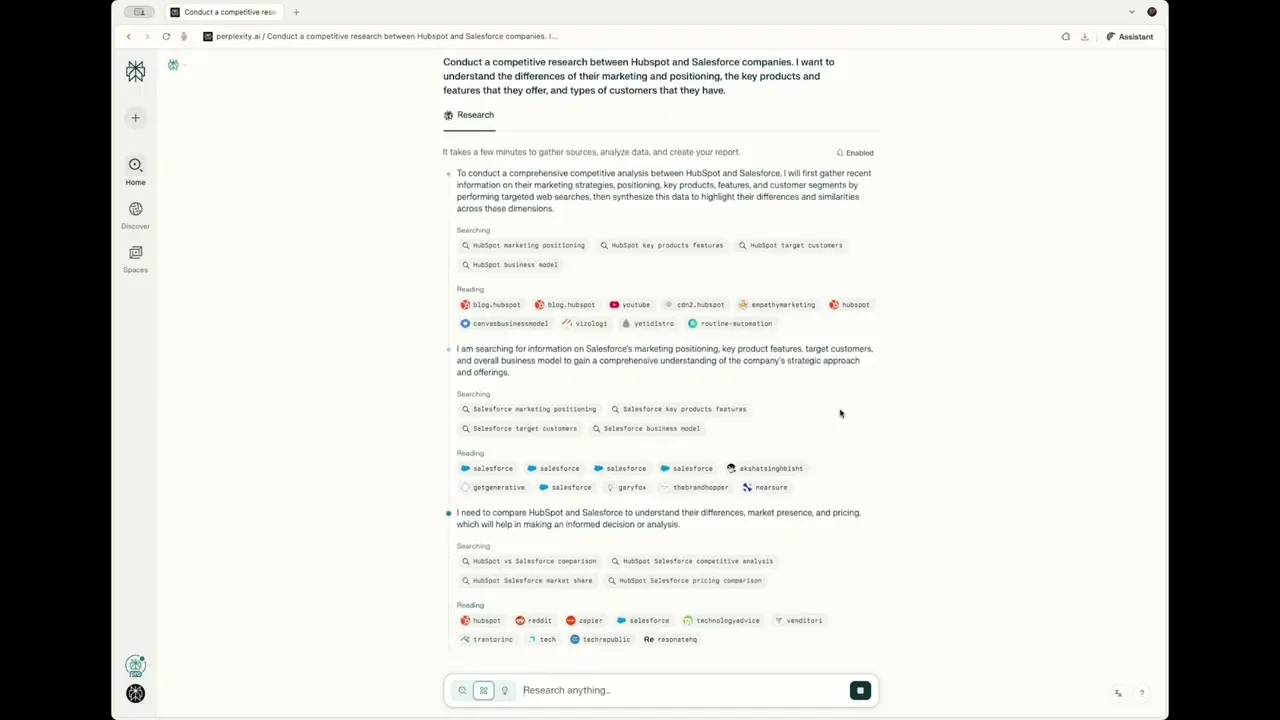
Once you select deep research, you can then frame your question. You can frame it in natural language, but the more detailed, the better. As a marketer, I'm always trying to understand competitive research between two companies. Let's say we want to look between HubSpot and Salesforce as CRMs, and I want to understand the differences in their marketing positioning, key products and features that they offer, and types of customers they have. You can be more specific. Here, you could add time frames, focus on specific products, etc., and let deep research do the work.
Deep Dive Example on Competitors
You can see that it's taking time to break down multiple searches, looking through many more sources across HubSpot, different marketing platforms, and Salesforce, breaking down the search in a few different tabs. This might take a few minutes. It is searching, reading, reasoning just like a human expert, but much faster.
Reviewing & Sharing
Now when you get to your answer, you can review and share. Just like a regular search query, you can take a look at where this information was sourced from. You can highlight over a piece of information, and you can go through the entire report. As you can see, it's still building out the report. When it finishes, you can see that it has generated a pretty comprehensive deep dive report. You can share this with anyone in your organization or anyone with the link.
Usage & Refinement
Enterprise users can enjoy unlimited deep research queries, while free users have a daily limit. So you can use deep research for complex multipart questions or when you need more up-to-date deep research analysis. You can also add instructions to continue to refine and tailor your report, even following up and asking for tables to be added or focusing on specific sources.