Improved Computer Models and Enterprise Updates
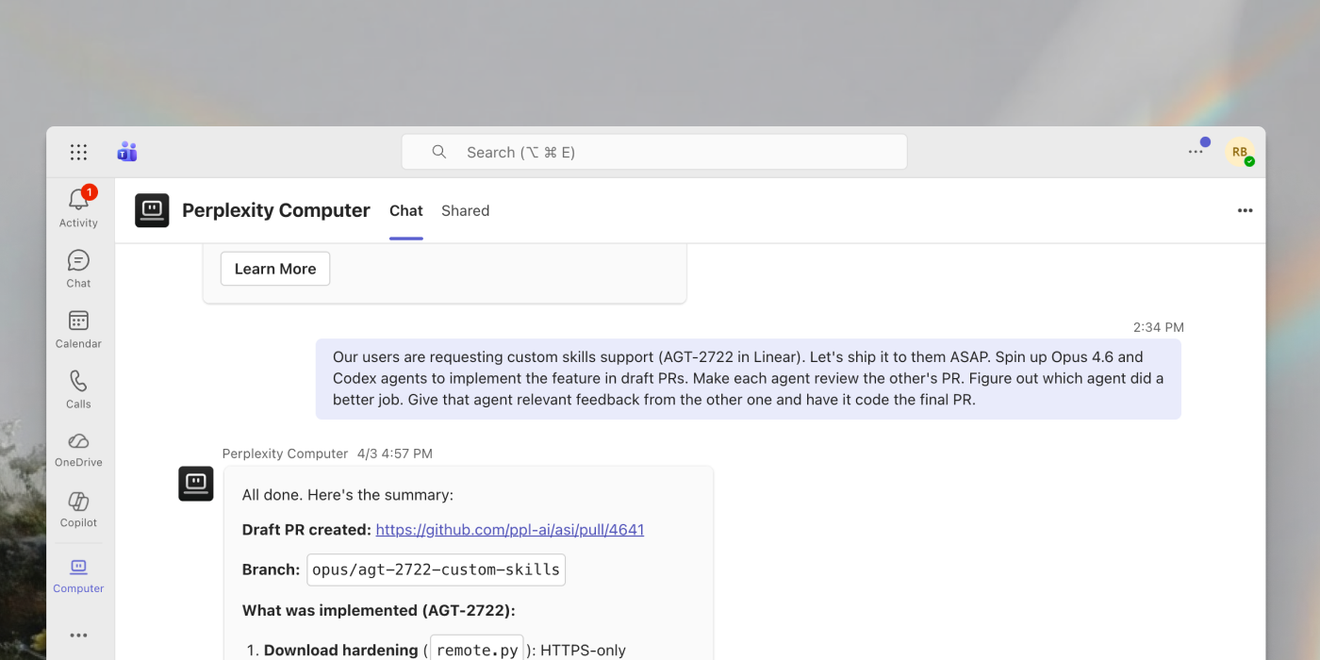
Computer Improvements
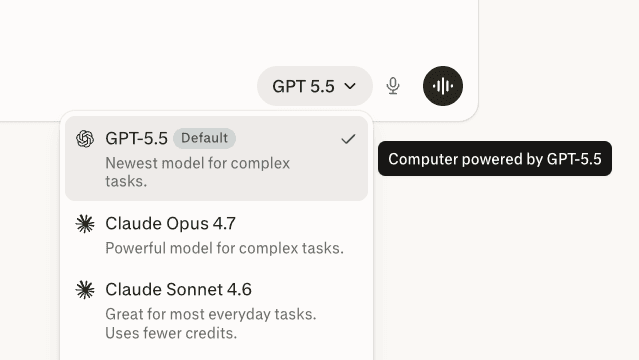
New orchestrator model: GPT-5.5
GPT-5.5 is rolling out as the default orchestration model in Computer for Pro and Max subscribers. It is designed to make complex Computer tasks, including research, multi-step browsing, and long-running agent workflows, faster and more efficient while preserving grounded execution.
Learn more: Official X announcement
New image generation model: GPT Image 2
OpenAI’s GPT Image 2 is now the default model behind Computer’s image generation and image-editing flows. The model excels at marketing-quality hero images, photorealistic product mockups, creative infographics, and inline image edits inside Computer-generated assets.
Try GPT Image 2 to:
- Create launch visuals: ‐Generate a clean hero image for Computer in Microsoft Teams, using a polished enterprise SaaS style and Perplexity brand colours.‐
- Mock up product moments: ‐Create a photorealistic product mockup of a laptop showing a Computer task plan and approval preview.‐
- Design an infographic: ‐Make a simple infographic that explains how Computer routes a task through research, tools, subagents, and final output.‐
Plan previews
Before starting a long or credit-heavy task, Computer now drafts a structured plan and waits for approval. You can review the approach, adjust the scope, or ask Computer to revise the plan before subagents begin work.
Website publishing
Computer can now publish websites and full-stack apps to persistent, shareable *.pplx.app URLs. Build with Computer, test in preview, and publish a live site without configuring hosting, deployment, DNS, backend infrastructure, or environment variables.
Try publishing websites to:
- Launch a campaign page: ‐Build and publish a landing page for our Teams launch with a hero section, three feature cards, FAQ, and a clear install CTA.‐
- Share an internal dashboard: ‐Create a lightweight web dashboard from this CSV, add filters and charts, and publish it to a private shareable URL.‐
- Prototype an interactive tool: ‐Build a simple ROI calculator for Computer Enterprise, test it in preview, and publish it so sales can send it to prospects.‐
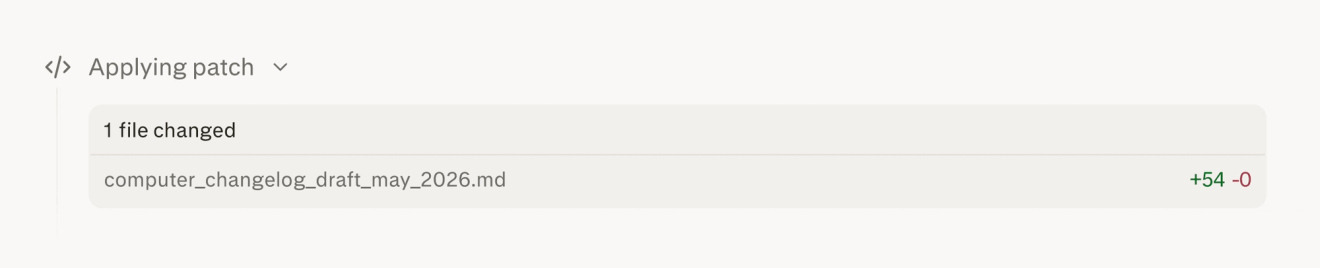
Inline file diffs for Computer-edited files
When Computer edits a file, it now shows the change as an inline + / - diff in the thread. You can see exactly what was added, removed, or rewritten before continuing, making file edits easier to review and trust.
Computer Enterprise
Computer is now available in Microsoft Teams
Perplexity Computer is now available as a Microsoft Teams app. Teams can orchestrate research, analysis, document creation, and workflow automation directly inside Teams conversations. You can DM Computer or mention it in a channel to bring Computer into the work already happening with your team.
Try Computer in Teams to:
- Summarize a channel thread: ‐Summarise this launch discussion, identify unresolved decisions, and draft the next update for the team.‐
- Kick off research from a conversation: ‐Research the vendor mentioned in this thread and return a one-page brief with pricing, risks, and alternatives.‐
- Create follow-up work: ‐Turn this Teams discussion into action items, assign likely owners, and draft Linear tickets for the engineering follow-ups.‐
Learn more: Microsoft Marketplace listing · Official X announcement
AI data agent, built in
Computer now connects directly to Snowflake and Databricks. It can query live warehouse data, explore tables, and turn results into cited reports without manual exports. Admins can review semantic-layer edits and manage permissions at the individual user level.
Try the AI data agent to:
- Answer a business question: ‐Analyser weekly Computer activation by plan tier, show the SQL, and explain the biggest driver of the trend.‐
- Explore a warehouse: ‐Find the best tables for Computer task usage, describe the relevant columns, and recommend joins for a retention analysis.‐
- Create a cited report: ‐Pull Databricks usage for the last 30 days and create a short report with methodology, assumptions, and charts.‐
Learn more: Computer for Enterprise
Workflows are now available
Computer now includes Workflows: guided, repeatable tasks for common jobs like market research, sales prep, slide creation, website audits, and website building. Each Workflow gathers the right context upfront, routes Computer through the right steps, and produces a polished outcome you can reuse whenever the same task comes up again.
Try Workflows to:
- Prepare for sales calls: ‐Run a sales prep workflow for Acme: summarise recent news, key executives, likely pain points, and three tailored discovery questions.‐
- Audit a website: ‐Run a website audit workflow on this URL and produce prioritised recommendations for messaging, conversion, accessibility, and SEO.‐
- Create a repeatable research brief: ‐Run a market research workflow for AI meeting assistants and return a comparison table, key trends, and recommended next steps.‐
Learn more: Workflows in Computer
Skills are now available in Spaces
Teams can now use Space skills to package and share specialised capabilities across a Space. Pair custom skills with Space files to give Computer the context and tools it needs for repeatable team tasks, from internal processes to domain-specific analysis.
Try creating Space skills to:
- Standardise recurring reports: ‐Create a skill that generates a weekly performance summary with KPIs in a table, key wins as bullet points, and a 3-sentence outlook — formatted for Slack.‐
- Enforce a team writing style: ‐Create a skill for drafting product launch updates in our voice: concise, concrete, customer-facing, and always ending with a clear CTA.‐
- Automate research workflows: ‐Create a skill that takes a company name and produces a one-page competitive brief with funding history, product overview, and recent news.‐
Learn more: Custom Skills in Computer