Email Assistant, language learning, and stock indicators on Discover

Email Assistant
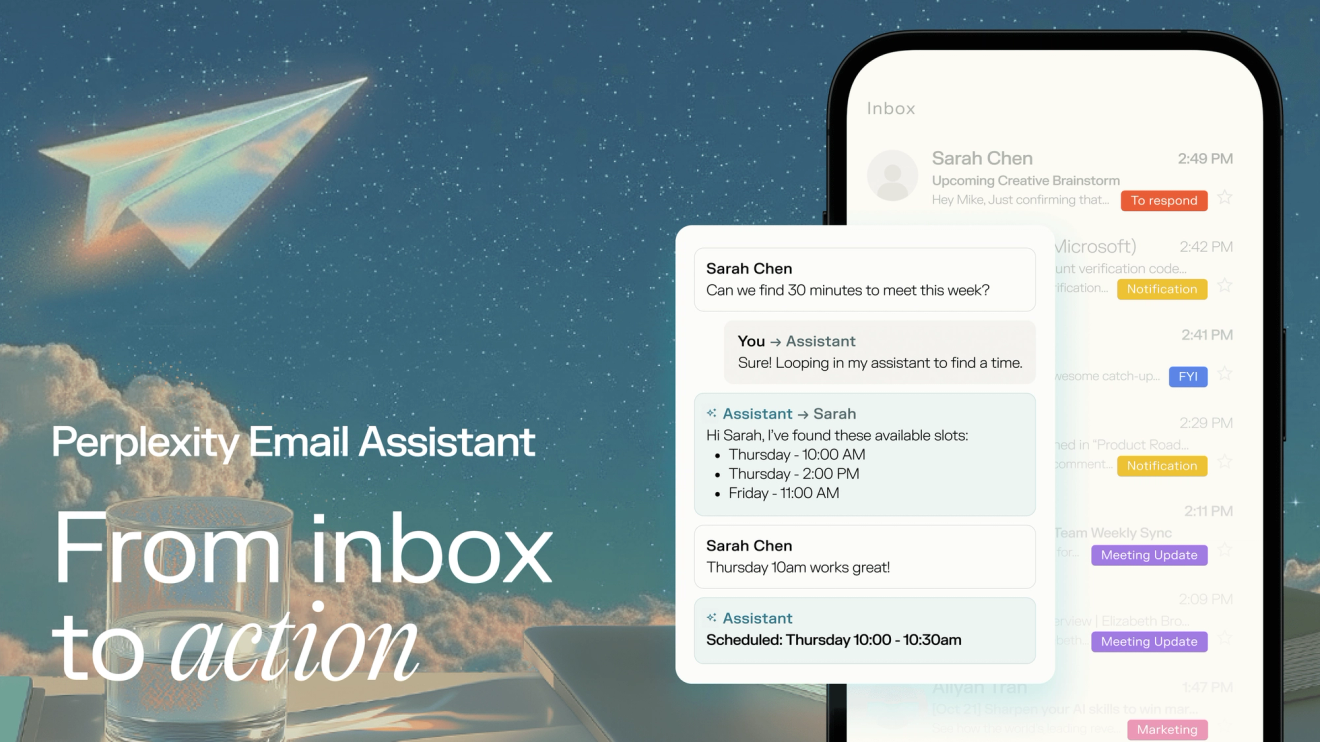
Max subscribers can now save an hour a day on their email inbox and calendar using Perplexity Email Assistant. Email Assistant slots cleanly into existing email workflows and performs the following actions:
- Scheduling: Schedule meetings with ease by adding assistant@perplexity.com into any email chain. No more back and forth - the assistant can handle different time zones, in-person meetings, rescheduling and more with ease.
- Organizing: Cut through the noise faster. Email Assistant automatically labels your inbox to help you stay organized and focus on the emails that require your attention.
- Drafting: Email Assistant drafts send-ready replies to emails you need to respond to on your behalf using your voice, tone, and relevant context from your inbox.
To try the assistant, visit the Assistant Onboarding here.
Language Learning
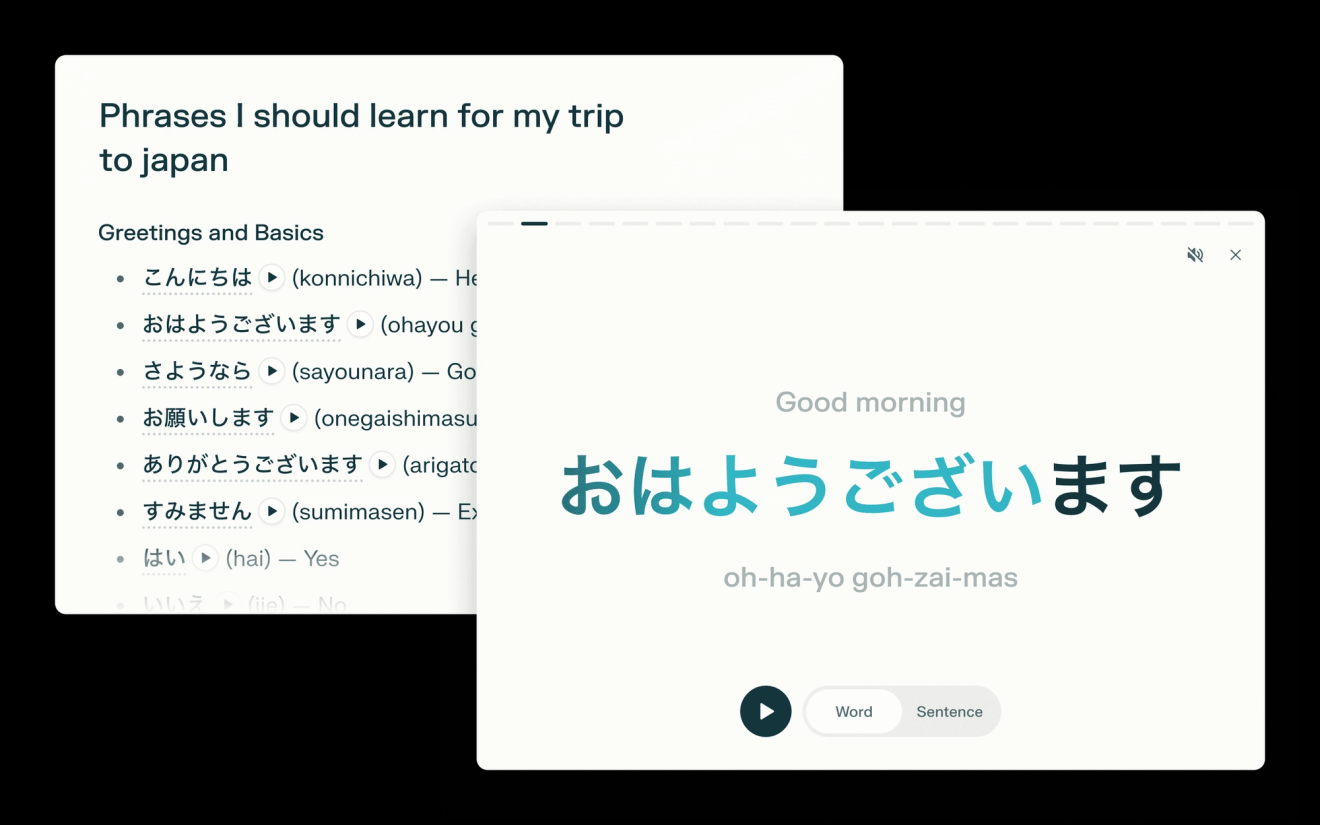
Learn how to say words and phrases in any language with the help of our new full-screen language learning experience. Flip through flash cards with audio, pronunciation, and words shown in the context of common sentences. Now available on web with mobile coming soon. Get started with searches like phrases I should learn for my trip to japan.
Stock Indicators on Discover
See real-time stock movements directly in Discover pages on iOS (coming soon to other platforms). Tap on a ticker symbol to see a quick stock chart and key financial indictors, or deep dive on the stock in Perplexity Finance.
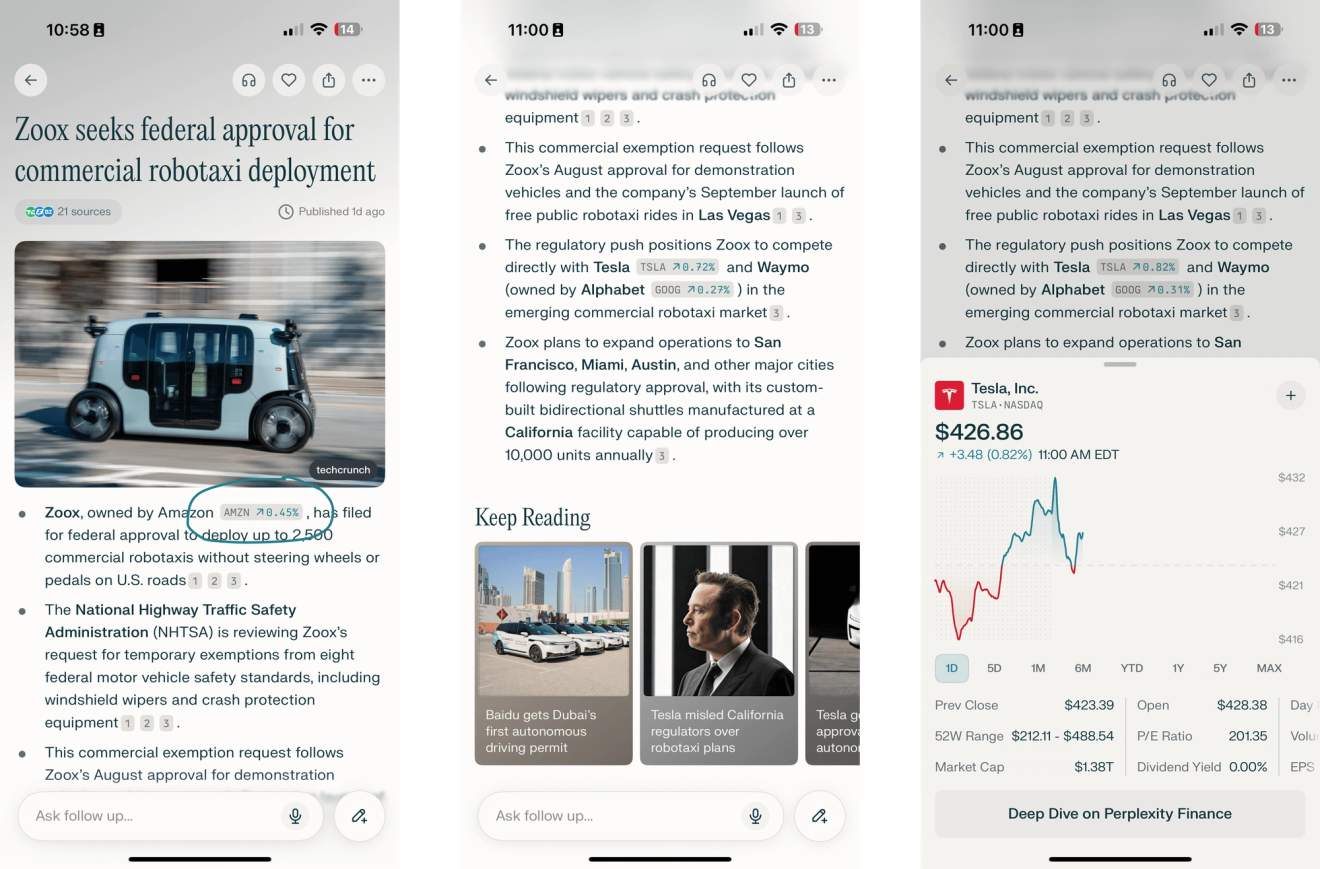
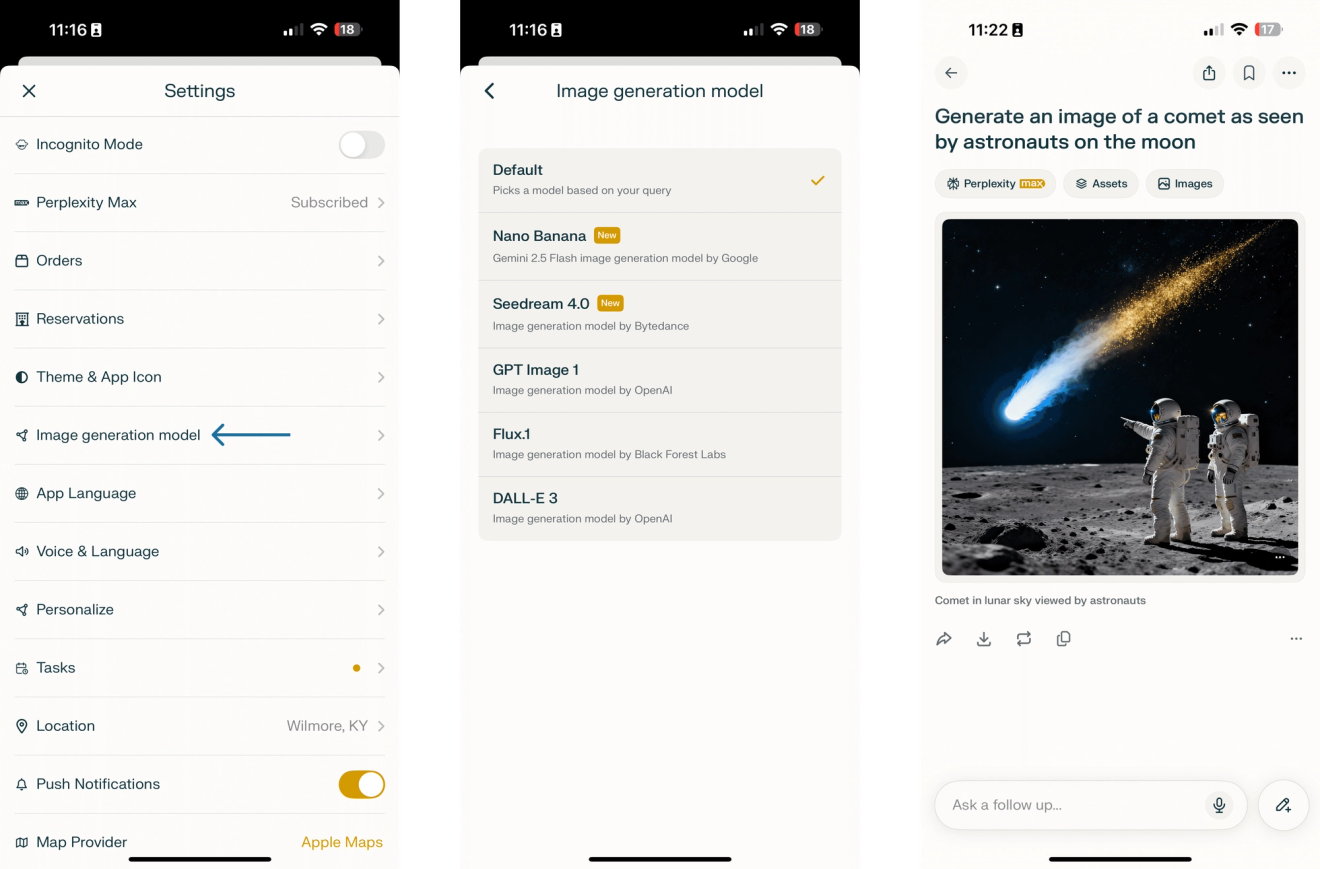
Image Model Selection on iOS
Last week we announced the addition of two new image generation models: Nano Banana (Google’s Gemini 2.5 Flash image model) and Seedream 4 (from Bytedance). This week we’ve added the image generation model selector to iOS in addition to Web (coming soon to Android). Navigate to Settings > Image generation model to select your default model.